







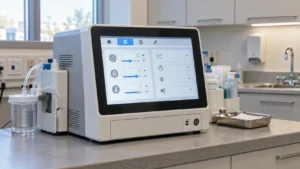

Touch Screen
Touch Screen options for OEM equipment include projected capacitive panels, pressure-operated resistive screens, in-cell LCD modules, and infrared touch frames. Use this catalog to compare how each technology fits your enclosure, input method, operating environment, and host electronics.
Compare technologies in the catalog.
Showing 1–16 of 30 results
-

15.6 Inch MIPI LCD Display with Capacitive Touch for Medical Applications
- 15.6 inch
- 1920*1080
- MIPI
- -20℃~70℃
- 400
- capacitive
- Color LCD
-

2.8 Inch SPI TFT LCD Display 240×320 with Resistive Touch | ILI9341 LCD Module
- 2.8 inch
- 240*320
- SPI
- -20℃~70℃
- 100
- Resistive
- Color LCD
-

7 Inch MIPI In-Cell Touch Display | 720×1280 LCD Module for Smart Devices
- 7 inch
- 720*1280
- MIPI
- -10℃~50℃
- 300
- Incell capacitive
- Color LCD
-

7.82 Inch LCD Display with 120Hz Refresh Rate and In-Cell Touch
- 8 inch
- 800*1280
- MIPI
- -10℃~50℃
- 350
- Incell capacitive
- Color LCD
-

8 Inch LCD Display with Capacitive Touch | 800×1280 MIPI In-Cell Display
- 8 inch
- 800*1280
- MIPI
- -10℃~50℃
- 350
- Incell capacitive
- Color LCD
-

8.8 Inch LCD Display 1600×2560 High Resolution with In-Cell Touch | Industrial LCD Module
- 8.8 inch
- 1600*2560
- MIPI
- -10℃~50℃
- 400
- Incell capacitive
- Color LCD
-

11.6 inch Industrial touch screen 5-point multi-touch
- 11.6 inch
- IIC
- 3 mm
- G+G
- microchip
-

17.3 inch CTP Capacitive Touch Panel G+G Structure
- 17.3 inch
- USB
- 3 mm
- G+G
- microchip
-

17.3 inch multi- touch screen Projected Industrial Panel
- 17.3 inch
- IIC
- 3 mm
- G+G
- microchip
-

4.8 inch Industrial touch screen G+G structure 5 point touch
- 4.8 inch
- IIC
- 1.1 mm
- G+G
- microchip
-

14.9 inch Industrial Screen Bar Type with Incell Capacitive Touch
- 14.9 inch
- 2560*720
- MIPI
- -20℃~70℃
- 600
- capacitive
- Color LCD
-

3.5 inch Capacitive Touch Screen Outdoor Sunlight Readable
- 3.5 inch
- 320*480
- MCU
- -20℃~70℃
- 500
- capacitive
- Color LCD
-
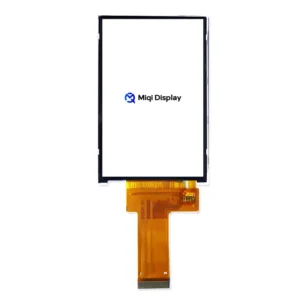
3.5 inch Industrial Screen MCU/SPI Interface ILI9488 IC
- 3.5 inch
- 320*480
- MCU, SPI
- -20℃~70℃
- 300
- NO
- Color LCD
-

4.3 inch Resistive Touch Display RGB TN Panel
- 4.3 inch
- 480*272
- RGB
- -20℃~70℃
- 500
- Resistive
- Color LCD
-

7 inch Resistive Touch Display RGB IPS Panel
- 7 inch
- 1024*600
- RGB
- -20℃~70℃
- 800
- Resistive
- Color LCD
-
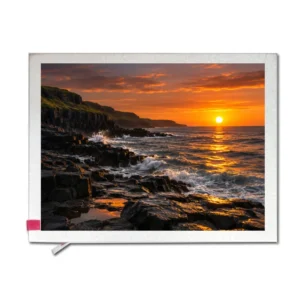
8 inch Capacitive Touch Screen Sunlight Readable LCD Display
- 8 inch
- 1024*768
- LVDS
- -30℃~80℃
- 1000
- capacitive
- Color LCD