





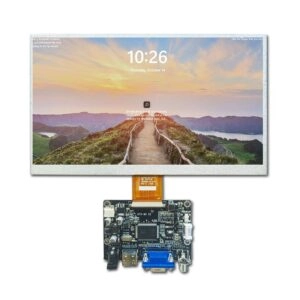
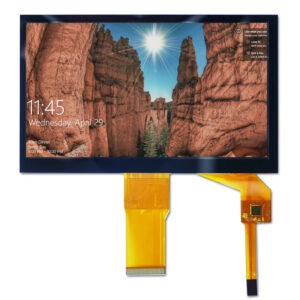


Selecting an industrial touch panel for an OEM product begins with the use case, not a preferred technology. Engineering must define operator input, exposure, and mechanical and electrical connections. Procurement must turn those needs into controlled specifications, tests, and supplier evidence. The suitable choice is the panel that passes application-specific criteria in the intended enclosure, not the option with the longest feature list.
This component-level guide covers requirement definition, technology screening, integration, validation, supplier review, and RFQ preparation for engineering, sourcing, quality, and project teams.

Industrial Touch Panel Selection Starts With the OEM Requirement
Document the operator, environment, and interaction before comparing products. Engineering should define active area, input method, touch points, accuracy, response expectations, and the smallest target. Procurement needs quantity, production life, substitution rules, and destination. Quality needs measurable inspection limits, while project managers assign ownership for firmware, tooling, qualification, and changes.
The operating profile should identify bare-finger, glove, or stylus use; indoor or outdoor conditions; liquid, dust, oil, and cleaning exposure; temperature; vibration; electrical noise; and duty cycle. Replace vague terms such as “glove friendly” with the glove material, thickness, test condition, and pass/fail result. Assembly-level protection cannot be inferred from the component alone; sealing and enclosure construction require system-level evaluation.
Choose Touch Technology After Defining Input Conditions
Touch technology is a screening decision, not final approval. The OEM must test the sensor, controller, firmware, cover, bonding stack, grounding, and enclosure together. For a deeper technology comparison, review capacitive versus resistive touch screens for industrial LCD modules before preparing samples.
When a Capacitive Touch Panel Fits
A capacitive touch panel generally fits light finger input, gestures, or multiple simultaneous touch points. A rigid cover lens can support a clean front surface and printed borders. Actual behavior still depends on sensor design, controller tuning, cover thickness, grounding, surrounding metal, noise, and specified glove or moisture conditions.
Test production gloves, droplets, wet fingers, and cleaning conditions separately. Confirm the controller, interface, drivers, firmware revision, and tuning ownership. Buyers can use Miqidisplay’s capacitive touch screen component category to identify candidate sizes and interfaces, then verify each specification for the proposed part.
When Pressure-Based Input Is More Practical
A resistive touch panel responds to applied pressure and is often useful when operators wear thick or electrically insulating gloves, use a passive stylus, or need deliberate single-point selection. Standard four-wire and five-wire constructions are normally associated with single-touch input, so gesture requirements should be resolved before sampling.
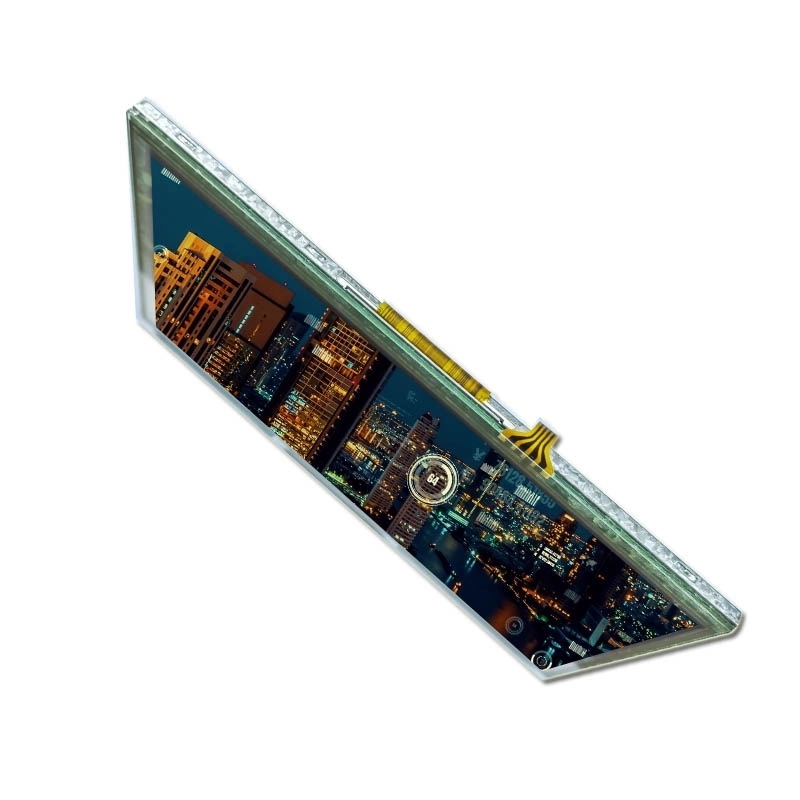
The flexible surface, activation force, calibration, cable tail, and edge loading require attention. Bezel pressure can create unintended input, while repeated use and cleaning may change surface condition. Use available resistive touch screen components as a shortlist, then confirm construction, controller, drawing, optical criteria, and operating limits.
Specify the Full Touch-Display Integration Stack
Mechanical compatibility starts with controlled drawings. Compare LCD and sensor outlines, active and viewing areas, cover dimensions, stack thickness, cable exit, connector location, clearances, gasket contact, adhesive area, and bezel opening. Define tolerances. The enclosure must avoid concentrated pressure and cable or panel twisting.
Electrical review should distinguish image-data and touch interfaces. Confirm voltage, logic levels, controller, pin assignment, connector, cable length, reset and interrupt signals, host protocol, drivers, and grounding. Validate with production cable routing because nearby noise sources may affect performance.
Optical decisions include cover material and thickness, printed border, surface finish, viewing direction, brightness, and air-gap or bonded construction. Surface treatments need agreed inspection methods. Miqidisplay lists touch additions, glass changes, cable adjustments, connector options, and bonding among its custom display-module options; feasibility and commercial terms remain project specific.
Build a Validation Plan Before Approving the Sample
Test the candidate in the intended enclosure with the production processor, power supply, operating software, gloves, stylus, cables, and cleaning materials. A bench demonstration of a loose panel does not reproduce grounding, edge pressure, noise, or contamination in the OEM assembly.
The validation plan should include a coordinate grid; edge and corner accuracy; smallest target selection; required touch-point count; startup and power-cycle behavior; glove and stylus operation; wet and contaminated surface cases; false-touch checks; temperature conditions; cable retention; cosmetic limits; and packaging inspection. Record the part identifiers and firmware revision used in the approved sample. The LCD sample approval checklist provides a complementary framework for documenting module-level acceptance.
Approval should produce a golden sample, signed drawings, test records, and a deviation process. If a criterion is application dependent, define who decides acceptance and what evidence is required. This prevents a visually acceptable prototype from becoming an uncontrolled production reference.
Evaluate the Supplier Beyond the Sample
An industrial touch panel supplier should be evaluated on documentation and configuration control as carefully as sample behavior. Request controlled drawings, interface information, controller and firmware identification, optical and operating specifications, inspection criteria, and packaging details. Ask how changes and substitutions are reviewed before shipment.
Quality evidence should match the proposed part and process; general marketing statements are not substitutes for batch records or agreed acceptance limits. Evaluate response quality during technical questions, ownership of controller tuning, handling of nonconforming material, traceability expectations, sample-to-production consistency, and support for future builds. Warranty boundaries, tooling ownership, minimum order requirements, lead time, and delivery terms should be confirmed contractually because they may vary by configuration and quantity.
Prepare an RFQ That Enables a Responsible Fit Review
Include the following minimum information:
- Product application, target market, and operating environment
- LCD diagonal, resolution, active area, viewing direction, and brightness requirement
- Touch technology preference, or the input conditions if the choice is still open
- Required touch points, glove or stylus details, target size, and accuracy criteria
- Touch interface, host platform, software environment, voltage, and connector constraints
- Cover-lens drawing, thickness, border, surface treatment, and bonding preference
- Module outline, enclosure drawing, cable route, mounting method, and sealing concept
- Operating and storage conditions plus liquid, dust, cleaning, and noise exposure
- Sample quantity, forecast volume, delivery location, and target schedule
- Required documents, acceptance tests, change-notification terms, and packaging needs
Separating mandatory requirements from preferences helps the supplier identify conflicts early. Attach drawings with revision numbers and state which dimensions or interfaces cannot change. Where a requirement is undecided, request alternatives with their integration and validation consequences rather than asking for an undefined equivalent.
Compare Total Project Risk, Not Unit Price Alone
The lowest quoted panel can cost more if it requires enclosure changes, drivers, repeated tuning, extra testing, or frequent calibration. Compare tooling, engineering, samples, qualification, packaging, logistics, spares, change control, and production interruption. Price, availability, and timing are quotation-specific, not inherent advantages of either technology.
Plan for lifecycle continuity by recording approved part numbers, drawings, controller settings, firmware, and inspection limits. Define the notice and requalification process for changes to the sensor, controller, adhesive, cable, connector, or optical stack. These controls reduce substitution risk and make future purchasing decisions auditable.
Conclusion
Industrial touch panel selection for OEM applications is a controlled engineering and procurement process. Define the operator and environment first, screen the touch technology second, and approve only the integrated assembly against measurable criteria. A sound sourcing decision connects technical fit with documentation, change control, batch consistency, logistics, and lifecycle risk.
FAQs
Should an OEM choose capacitive or resistive touch first?
Choose only after defining input method, gloves, stylus needs, touch-point count, contamination, cover construction, and user-interface behavior. Samples must then be tested in the intended assembly.
Is the LCD interface the same as the touch interface?
No. Image data and touch coordinates commonly use separate connections. Confirm both interfaces, their voltages, connectors, protocols, drivers, and cable routing.
Can a component rating prove the assembled product is sealed?
No. Assembly-level protection depends on the cover, gasket, adhesive, bezel, enclosure, and manufacturing process. Validate the final construction under defined conditions.
What should be frozen after sample approval?
Freeze the part numbers, drawings, optical stack, controller, firmware, cables, connectors, acceptance tests, approved sample, and change-notification process.
Request a Technical Fit Review
For a qualified B2B sourcing assessment, request a Miqidisplay technical fit review. Submit the display size, resolution, interfaces, touch method, cover drawing, mechanical constraints, operating conditions, software platform, quantity forecast, target market, and sample needs. This information allows the team to assess component compatibility, customization scope, documentation requirements, sample planning, and procurement risks without assuming unverified performance or commercial terms.
Email: mary@miqidisplay.com
WhatsApp: +86 189 6801 5464; +44 07892800850