





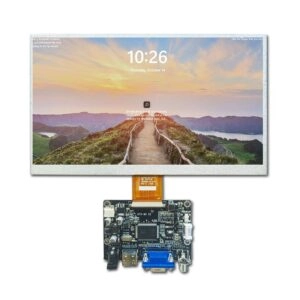
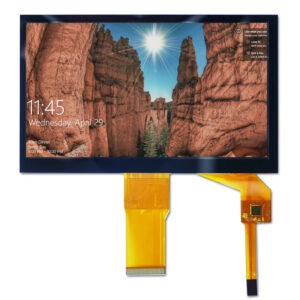

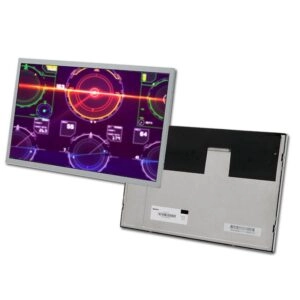
A 12.1-inch industrial LCD panel is used in industrial instruments, embedded equipment, and diagnostic devices. Procurement teams must evaluate aspect ratio, resolution, active area, module outline, interface mapping, luminance, operating temperature, supplier capacity, customization, and lifecycle continuity.
The families are 4:3 XGA at 1024 × 768 pixels and 16:10 WXGA at 1280 × 800 pixels. They share a nominal diagonal but create different mechanical envelopes, software requirements, and sourcing risks. Comparison prevents enclosure rework, distorted graphics, controller incompatibility, and post-launch redesigns.
4:3 vs 16:10: Start with Equipment Architecture
4:3 for Legacy Layouts and Vertical Interfaces
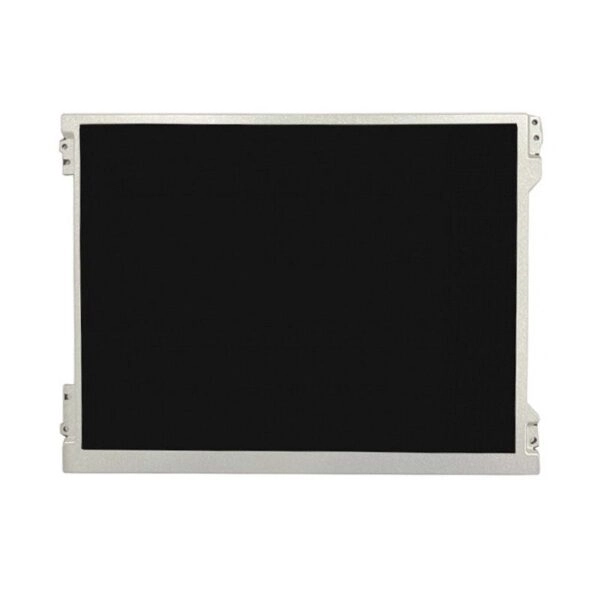
A 4:3 panel suits equipment designed around vertically structured information blocks. XGA provides 768 vertical pixels for stacked menus, alarms, parameter fields, status windows, and established software developed for 1024 × 768 output.
For retrofit programs, 4:3 can reduce software redevelopment because many industrial interfaces use this canvas. It also provides greater physical height than a widescreen panel of the same diagonal. A typical 12.1-inch 4:3 active area is approximately 245.76 × 184.32 mm, aligning with older bezels and cutouts.
16:10 for Wider Data Presentation
A 16:10 panel uses the diagonal differently. A representative 12.1-inch WXGA active area is approximately 261.12 × 163.20 mm. The image is wider but shorter, creating space for trend curves, side-by-side values, navigation columns, and multi-zone dashboards.
WXGA adds horizontal workspace while retaining 800 vertical pixels. Compared with XGA, the horizontal count rises from 1024 to 1280, while the vertical count increases only from 768 to 800. The main gain is width, which matters when existing screens contain tall dialog boxes or fixed controls.
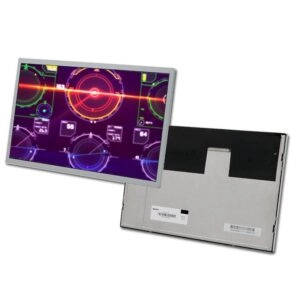
XGA vs WXGA: Validate UI Compatibility
Higher resolution is not automatically the better procurement decision. Native rendering, graphics scaling, font size, software support, and controller timing must be validated together.
XGA is often lower risk for direct replacement because the application may already generate 1024 × 768. WXGA can provide denser graphics, but stretching may distort circles, icons, and engineering diagrams. Black borders can appear when aspect-ratio preservation is enabled. Migration requires redesigned layouts and validation at the intended viewing distance.
At 12.1 inches, XGA is roughly 106 pixels per inch, while WXGA is about 125. Smaller physical text can result when software uses fixed pixel dimensions. Approval should include representative screenshots, font measurements, and operator readability testing rather than resolution alone.
Mechanical Dimensions Need Drawing-Level Approval
The active area does not define the complete module. Outline dimensions, thickness, mounting tabs, connector position, and cable exit direction can vary between panels with the same diagonal and resolution.
A typical 4:3 module may be taller than 200 mm, while a representative 16:10 module can be close to 278 × 184 mm. These values are not universal replacement dimensions. Mechanical engineers should approve the current drawing revision and tolerance stack before sample release.
Supplier evaluation should confirm whether mounting features are stable. Small changes in frame thickness or connector orientation can create assembly interference even when the active area is unchanged.
Brightness Must Match the Final Optical Stack
Nominal luminance is measured under controlled conditions and does not equal installed readability. Protective windows, air gaps, coatings, viewing angle, reflections, dimming settings, and elevated temperature can reduce effective brightness.
A 500 cd/m² specification can suit industrial environments, but procurement teams should define ambient-light conditions and minimum luminance after integration. Qualification should include uniformity, contrast, grayscale visibility, and stability at temperature extremes.
The supplier should state whether brightness is typical or guaranteed minimum and how it is measured. For customized brightness, current, voltage, thermal load, power budget, and expected service life must be reviewed together.
LVDS Compatibility Requires Pin-Level Verification
Two panels labeled LVDS are not necessarily interchangeable. Connector count, pin assignment, supply voltage, backlight power, enable logic, dimming method, timing, and orientation may differ.
A representative 12.1-inch WXGA panel can use a 30-pin connection with selectable 6-bit or 8-bit input, while some XGA configurations use other formats. Documentation should include pinout, mating connector, timing, power sequence, cable drawing, and controller compatibility.
Cable length and routing affect signal integrity. A qualified supplier should support cable and connector customization while maintaining controlled drawings, revision identification, and repeatable workmanship during qualification and mass production.
Temperature Range and Reliability Evidence
Industrial temperature requirements must reflect the equipment’s internal environment, not only room temperature. Available configurations include standard and wide-temperature grades, with some specifications extending to approximately -30°C to 85°C. Exact limits vary by model. Storage range, humidity, condensation, low-temperature response, thermal shock, vibration, and non-operating shock require separate review.
A wide-temperature label is not sufficient evidence. Procurement files should contain the official specification, reliability test conditions, revision history, and sample validation results under the equipment manufacturer’s duty cycle.
Supplier Qualification: Certification, Capacity, and Change Control
Management-system certificates support supplier screening, but scope, issuing body, validity, manufacturing location, and covered processes require verification. Certification does not replace product-level inspection or application qualification.
Capacity assessment should examine monthly output, pilot-build support, ramp lead time, yield control, material allocation, inspection equipment, traceability, and contingency planning. Warehouse inventory alone does not demonstrate sustainable production capacity.
Long-term availability is essential for industrial programs. Purchase agreements should address product-change notification, end-of-life notice, last-time-buy planning, approved alternatives, lot traceability, controlled bills of materials, and golden samples. Documented change control reduces redesign exposure.
Customization Capability for Embedded Equipment
Panel-level customization can include cable position, connector selection, pin assignment, interface adaptation, backlight parameters, mechanical details, optical treatments, and specialized accessories. Each modification should produce an approved drawing, qualification plan, revision code, and acceptance criteria.
Customization should be evaluated as an engineering process. Strong suppliers review feasibility, engineering charges, minimum order quantities, tooling, validation schedules, production controls, and lifecycle implications before quotation.
FAQ
Is XGA or WXGA Better for a 12.1-Inch Industrial LCD Panel?
XGA is often preferable for legacy 4:3 software and retrofit projects. WXGA suits wider dashboards and higher information density. The correct choice depends on graphics output, enclosure geometry, readability, and redesign tolerance.
Can Two 12.1-Inch Panels with the Same Resolution Be Direct Replacements?
Not necessarily. Outline dimensions, mounting features, connector location, LVDS pinout, color depth, power sequence, luminance, viewing characteristics, and temperature ratings can differ.
What Documents Should Be Requested Before Approval?
The package should include the latest specification, mechanical drawing, interface pinout, timing data, reliability information, certificate copies, inspection criteria, lifecycle status, change-notification policy, and sample traceability.
How Should Long-Term Supply Risk Be Reduced?
Risk can be reduced through lifecycle confirmation, approved alternatives, notification agreements, forecast sharing, buffer planning, controlled revisions, and periodic capacity reviews.
Miqidisplay is an advanced display technology manufacturer and supplier providing LCD, TFT, IPS, and VFD display products plus specialized accessories, with engineering support for panel selection and customization. Industrial procurement teams can submit resolution, aspect ratio, dimensions, brightness, LVDS mapping, temperature range, annual volume, certification, and lifecycle requirements through the Contact Us page.