











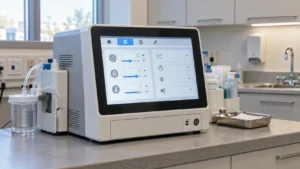


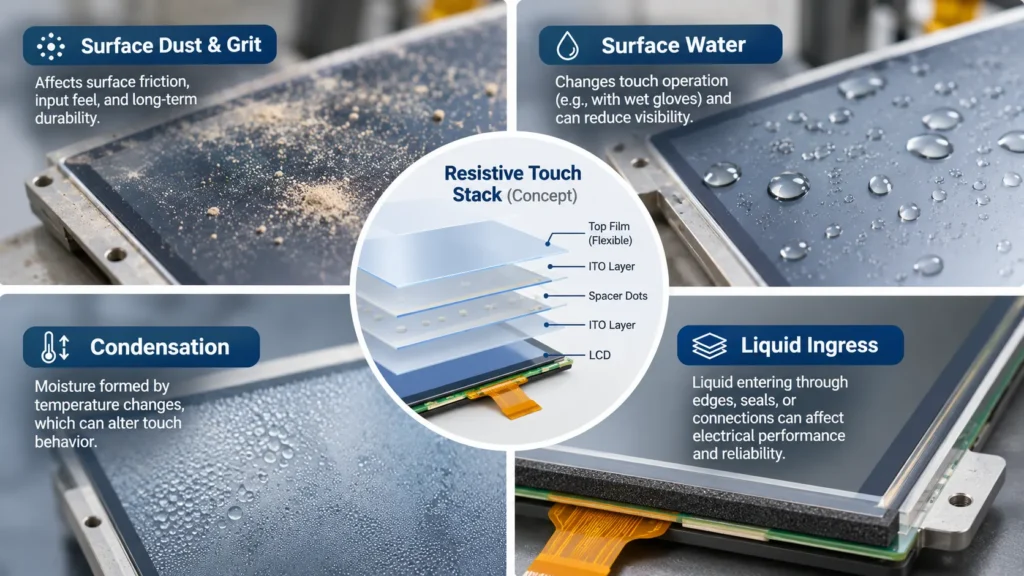
Dust and moisture can change resistive touch screen input without changing the basic sensing principle. Loose surface dust may leave pressure detection largely unaffected, while grit, sticky deposits, wet gloves, or contamination near the edge can alter contact and usability. Moisture entering the touch stack presents a different risk from water remaining on its outer surface.
Consider a buyer specifying a panel beside a powder-handling process. Dry powder during a shift and damp deposits after a temperature change are two exposure cases. They belong on separate lines in the RFQ. Without that distinction, two suppliers can interpret “dusty and damp” differently and still appear to offer equivalent components.

Why Pressure Detection Does Not Establish Environmental Protection
A conventional resistive touch panel detects input when pressure brings separated conductive layers into contact. The controller measures the resulting electrical signal and derives a position. Construction and controller details vary, so requirements should follow the selected panel specification.
A small water droplet on the outside does not necessarily produce the mechanical deflection required for a deliberate touch. Likewise, a thin layer of loose dust does not automatically interrupt the internal electrical measurement. This explains why resistive touch can remain useful where nonconductive input tools and surface contamination are expected.
However, detection method and environmental protection answer different questions. Pressure sensing does not establish edge-seal integrity, allowable humidity, resistance to condensation, or compatibility with a particular liquid. Buyers need evidence for each relevant condition.
How Dust Changes Resistive Touch Screen Input
Fine dust on an intact outer surface may have little immediate effect on registration. The practical result depends on coverage, particle properties, input force, and whether the operator can still see and contact the intended target.
Now consider grit under a stylus tip. The particle concentrates pressure at a small contact and may abrade a flexible surface as the tip moves. One successful tap tells the buyer little about repeated dragging. Ask what particles were used in the supplier’s evaluation; a soft powder and sharp mineral grit do not represent the same exposure.
Deposits can also change friction. An operator may press harder, slide less predictably, or miss a small target when the surface feels uneven. Those are application-level input changes even when the controller continues reporting coordinates.
Contamination at the bezel is another concern. Material accumulating near a moving surface or under a mounting edge may interfere with free deflection or release. The supplier review should identify permitted mounting zones and clearances before the mechanical design is frozen.
Separate Surface Water, Humidity, and Condensation
Surface water primarily changes the contact situation. A wet glove can slip, a liquid film can obscure small controls, and residue left after evaporation can change surface friction. Evaluate taps, holds, and release behavior with the actual input method under the expected wet condition.
Liquid ingress is a separate electrical and materials concern. Water reaching conductive layers, edge connections, or the touch-tail region may affect insulation or measured signals. The outcome depends on the liquid, exposure duration, seal construction, and electrical configuration. Do not extend a successful splash demonstration into an immersion claim.
Humidity describes moisture in the surrounding air. Condensation occurs when a surface becomes cold enough for water to form on it. A noncondensing humidity allowance therefore does not demonstrate operation with condensation. Temperature transitions can matter as much as steady-state temperature.
“Wet operation” needs a description. Does an operator touch through a few droplets, or does a film remain over the surface? Can liquid collect along the lower edge? Is it clean water or a mixture containing salts, oils, or process residue? Give the supplier that description before asking whether the panel is suitable.
Review the Touch Stack and Mounting Boundary
Begin the mechanical review with a section drawing. Identify the touch surface, perimeter seal, bezel, adhesive, support, and tail exit. Mark the exposed side and the paths through which contamination could reach sensitive regions.
A seal must work without applying unintended pressure to the active touch surface. Excessive or uneven compression can change input behavior, particularly near edges. Ask the supplier to identify the approved compression area and installation constraints for the proposed construction.
Do not assume that adding rigid cover glass preserves the function of a conventional flexible resistive panel. Any protective overlay must be compatible with the specific sensing stack and required deflection. Material changes should trigger a fit review rather than an automatic substitution.
Where an ingress-protection rating is requested, establish exactly what was tested. A result for a mounted front assembly cannot automatically be assigned to an unmounted module or its rear connections. The RFQ should name the assembly boundary and installation condition covered by supporting evidence.
Turn Exposure Conditions into Comparable Supplier Evidence
An environmental requirement becomes useful when suppliers can respond to the same questions. Keep the contamination definition separate from the general input-tool assessment covered in resistive touch response testing.
Request a response covering:
- Contaminant type, particle characteristics, coverage, and exposure duration.
- Liquid composition, droplet or film condition, and exposed locations.
- Temperature, humidity, and whether condensation is permitted.
- Mounting arrangement, seal configuration, controller, and calibration state.
- Required behavior during exposure and after the specified recovery period.
Keep the fixture and controller settings unchanged when comparing clean and contaminated conditions. If the wet trial also uses a different glove or tighter bezel, the comparison cannot isolate the effect of water. Evaluate combined exposures afterward, once the individual cases are understood.
Record missed touches, unintended events, coordinate deviation, hold stability, and release behavior. Tie acceptance limits to the application’s target size and spacing. Record visual readability separately: correct coordinates are insufficient if contamination prevents operators from seeing the intended control.
Match the RFQ to a Verified Display Module
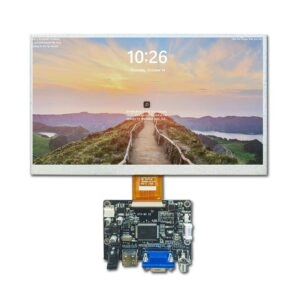
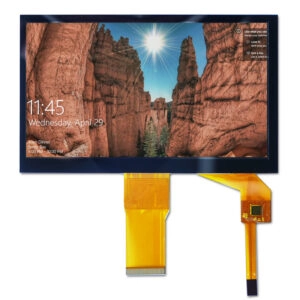
Miqidisplay offers a 7-inch resistive touch display module. Its relevance provides a starting point for component discussions; environmental suitability still requires confirmation for the exact configuration.
Before comparing quotations, obtain a consistent specification and drawing identifying the touch construction, electrical connections, active area, and environmental limits. Resolve conflicting values before sample approval. Do not combine favorable figures from different descriptions into an assumed configuration.
For a project requiring cable or structural changes, discuss custom display options against the exposure drawing. Ask which changes affect sealing, touch deflection, documentation, and validation responsibility.
At quotation review, label each environmental statement: documented limit, proposed option, or sample observation. A note that a sample responded under droplets is useful, but it does not define every production unit’s allowable exposure. Keep the approved revision with the evidence and agree what must be reviewed when touch material, seal, adhesive, or controller changes.
Conclusion
Dust and moisture influence resistive touch through different mechanical, electrical, and visibility effects. Define the contaminant, identify its path, and verify the mounted configuration. Buy against an agreed exposure requirement and supporting evidence rather than a broad ruggedness claim.
FAQs
Does dust automatically prevent resistive touch input?
No. Loose surface dust may leave pressure detection functional. Grit, deposits, coverage, and contamination near mounting edges can create different results.
Can a resistive touch screen work while wet?
It may, depending on construction, liquid exposure, and input method. Surface operation and protection against liquid ingress require separate evidence.
Is humidity testing enough for condensation?
No. A noncondensing humidity test does not establish behavior when water forms on or inside the assembly during temperature changes.
What should buyers request before approving a module?
Request a confirmed specification, section drawing, exposure limits, mounting instructions, and test evidence tied to the proposed configuration.
Request a Resistive Touch Display Fit Review
For a sourcing decision, request a Miqidisplay technical fit review. Submit the display type, diagonal size, outline dimensions, active area, resolution, interface, touch requirement, brightness, viewing direction, operating temperature, mechanical constraints, quantity, drawings, and integration environment. Include dust characteristics and moisture exposure. These inputs allow Miqidisplay to assess component fit and discuss applicable customization, sample, and documentation requirements before quotation assessment.
Email: mary@miqidisplay.com
WhatsApp: +86 189 6801 5464