






A resistive touch screen should be tested with the actual gloves, styluses, and operating conditions expected in the finished equipment. A bare-finger demonstration is not enough. Because a resistive panel responds to physical pressure between conductive layers, performance can change with contact area, force, tip material, glove thickness, surface contamination, and mechanical support.
For OEM engineers and procurement teams, the objective is to convert “it responds” into measurable acceptance criteria: touch registration, coordinate accuracy, repeatability, response time, missed inputs, and usability across the complete active area.
Why Gloves and Styluses Need Separate Tests
Resistive touch technology is often selected because it can accept a wider range of input tools than projected-capacitive technology. A gloved finger, plastic stylus, narrow probe, or other non-conductive implement may work when sufficient pressure deflects the touch layers. For a broader category-level overview before sample selection, procurement teams can review Miqidisplay’s resistive touch screen options and then shortlist suitable configurations according to the required size, interface, and mechanical constraints.
However, compatibility is not universal. A glove may be too thick, too soft, or mechanically unstable. A stylus may have a tip that is too hard, too narrow, or poorly matched to the panel construction. The same input can also behave differently at the center, edge, and corners of the active area.
Testing should therefore separate at least four input classes:
- Bare finger as a baseline
- The production glove or glove families
- The production stylus or approved stylus alternatives
- A defined reference tool for repeatability checks
Record the exact glove material, thickness, size, stylus tip geometry, applied force method, and test operator. “Works with gloves” is not a sufficiently controlled requirement for design release.
Define the Test Configuration Before Measuring
The touch panel must be evaluated as an integrated display module, not as an isolated sheet. Before testing, document:
- Display size, active area, and outline dimensions
- Touch technology and controller configuration
- Interface and firmware version
- Cover material, thickness, and bonding method
- Mechanical mounting and bezel compression
- Operating voltage and system software
- Test temperature and humidity
- Input tool specifications
- Target response and accuracy limits
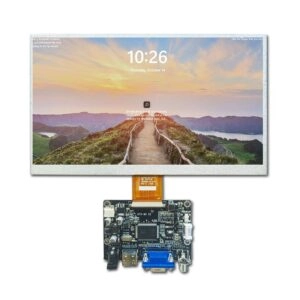
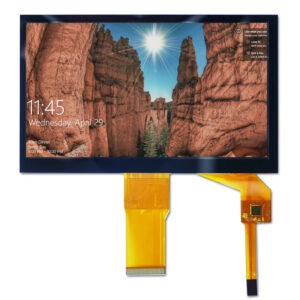
For example, Miqidisplay lists a 2.8-inch SPI TFT LCD module with 240 × 320 resolution, an integrated resistive touch panel, a 3.3 V supply, and an operating range of -20°C to 70°C. Those product conditions provide a useful example of why touch validation should be tied to the complete module specification rather than a generic panel label. Review the 2.8-inch SPI TFT LCD display with resistive touch for the relevant configuration details.
The test fixture should hold the module in the same orientation and mounting condition used by the target equipment. Excessive bezel pressure, uneven support, or a flexed assembly can create false failures or hide mechanical weaknesses.
A Practical Response Test Sequence
A repeatable test sequence is more valuable than a single subjective pass/fail check. The following sequence can be adapted to engineering validation or incoming inspection.
1. Establish a baseline
Begin with a bare finger or a defined reference probe. Confirm that the controller is initialized correctly and that the display is receiving touch coordinates without obvious drift, dead zones, or intermittent events.
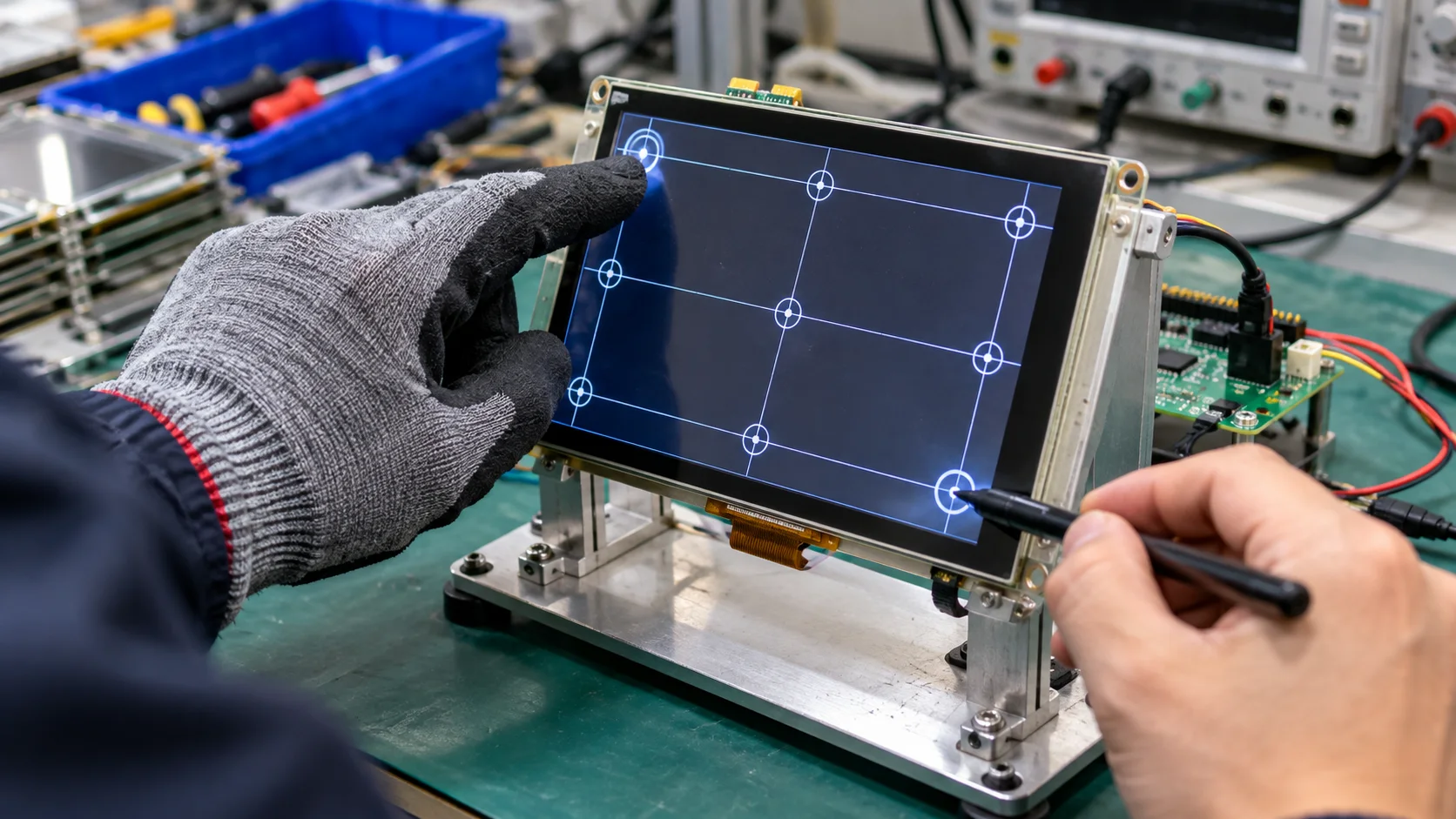
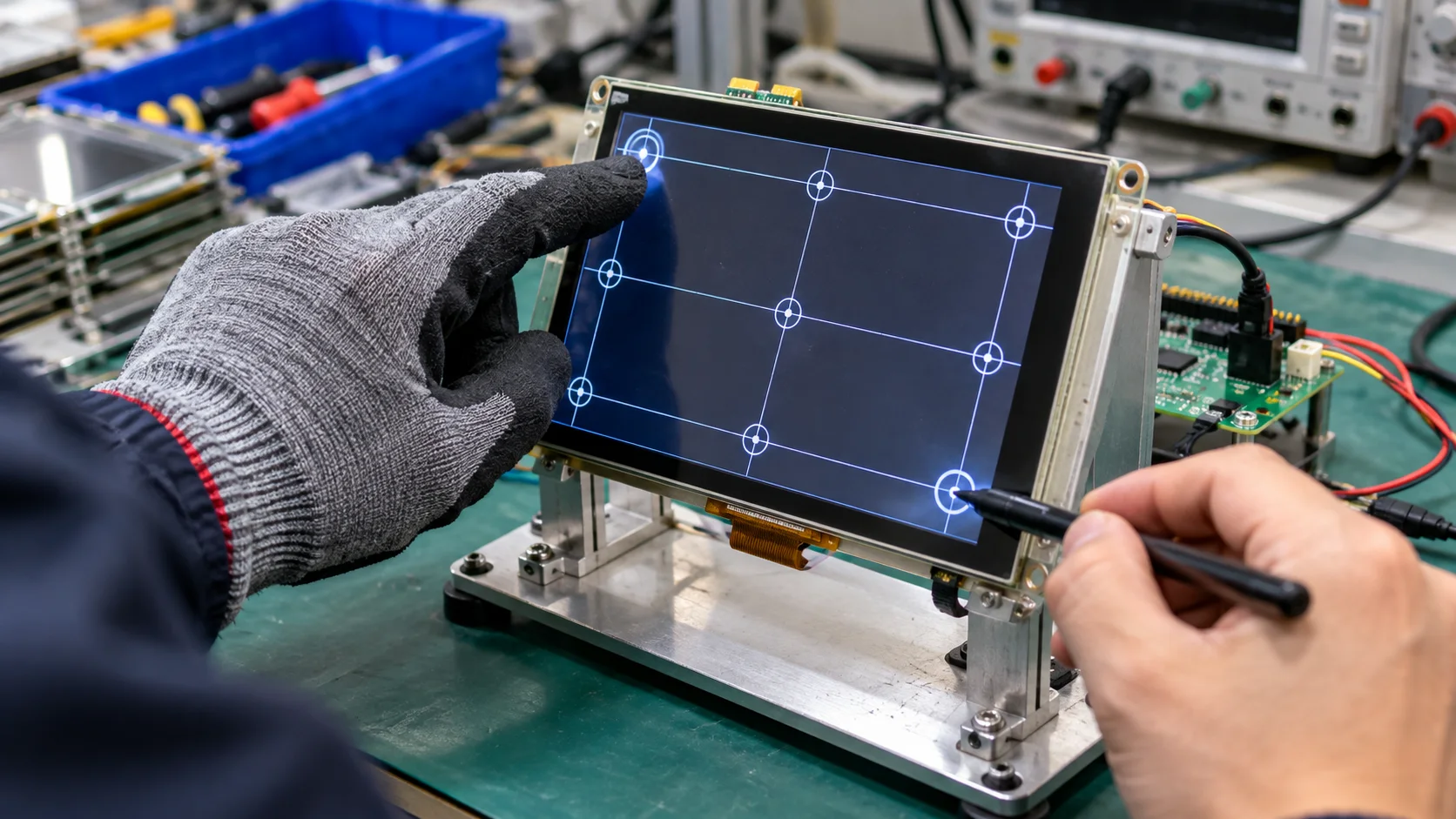
Run a simple grid test covering the center, four corners, and intermediate edge points. This identifies gross alignment or assembly issues before glove and stylus variables are introduced.
2. Test static touch registration
Ask the operator or actuator to press each target point and hold for a defined dwell time. Record whether the input is detected, whether the coordinate remains stable, and whether the intended interface element is activated.
Static testing is important for industrial controls where an operator may press a button deliberately rather than swipe continuously. A screen that registers taps but loses contact during a short hold may still be unsuitable.
3. Test dynamic tracking
Use horizontal, vertical, diagonal, and curved strokes across the active area. Repeat the paths with the glove and stylus separately. Evaluate:
- Missed segments
- Coordinate jumps
- Tracking lag
- Stroke discontinuities
- Edge performance
- Recovery after lifting and recontacting
Dynamic tracking is especially useful when the application includes sliders, signature-like input, menu scrolling, or numeric entry using a narrow tool.
4. Test repeated taps
Select a defined set of targets and repeat each tap a fixed number of times. Use the same contact location, approximate force, and dwell time. Then repeat the sequence at different positions.
This test reveals intermittent registration problems that may not appear in a single demonstration. It also helps distinguish a panel issue from operator inconsistency. For production decisions, record the number of detected inputs, missed inputs, false activations, and coordinate errors.
5. Test edge and corner behavior
The edge of a resistive panel can behave differently from the center because the mechanical deflection and electrode geometry are not identical across the surface. A stylus may work reliably in the middle but require more force near a corner.
Use a structured matrix instead of checking only the four corners. Include points near the bezel and points adjacent to the expected interface controls. If the system uses small buttons near the edge, those locations deserve specific acceptance limits.
How to Test Gloves Correctly
Do not describe a glove only as “touchscreen compatible.” For a resistive panel, the relevant variables are pressure transmission, compression, surface friction, thickness, seams, and operator control.
Test the exact glove intended for production. If several glove types may be used, test each one independently. Include a new glove and, where relevant, a glove after the expected period of use. Materials can change as they become compressed, contaminated, wet, or worn.
A practical glove test can include:
- Tap targets of different sizes.
- Hold each target for a fixed dwell time.
- Drag a target across the full active area.
- Repeat the test with light, normal, and firm pressure.
- Repeat with the glove slightly damp or contaminated only when that condition is part of the application.
- Record missed inputs and the force level needed for reliable registration.
Avoid changing several variables at once. If a thick glove fails, repeat with a larger target or a higher controlled force before concluding that the panel is incompatible. The goal is to understand the operating envelope, not simply to produce a binary result.
How to Test Styluses
A stylus test should identify the tip material, tip diameter, tip shape, shaft geometry, and intended writing or pointing motion. Use the production stylus whenever possible.
Start with large targets, then test smaller targets and narrow gaps. Perform both point taps and continuous strokes. Measure whether the stylus can activate the smallest intended control without touching adjacent areas.
Stylus force should be controlled as consistently as possible. A spring-loaded fixture, force gauge, or defined actuator can reduce operator variation during engineering validation. If manual testing is used, provide a simple force instruction and use multiple repetitions.
The stylus should also be tested at different angles. A rigid tip may register when held vertically but become less reliable at a shallow angle. This matters when operators write, draw, or reach across a panel rather than pressing straight down.
Response, Accuracy, and Repeatability Metrics
A useful test report separates several performance metrics instead of combining them into one “sensitivity” number.
Registration rate is the percentage of intended inputs detected by the controller.
Response time is the interval between physical contact and the system event. Measure it consistently at the application level, because controller reporting and software processing can contribute to the observed delay.
Coordinate accuracy is the distance between the intended target and the reported touch location. Evaluate both the center and the edges.
Repeatability describes how closely repeated inputs at the same location cluster together.
False activation rate records events generated without an intended touch, including accidental contact during a drag or lift.
Tracking continuity describes whether a moving stylus or gloved finger produces a stable path without gaps.
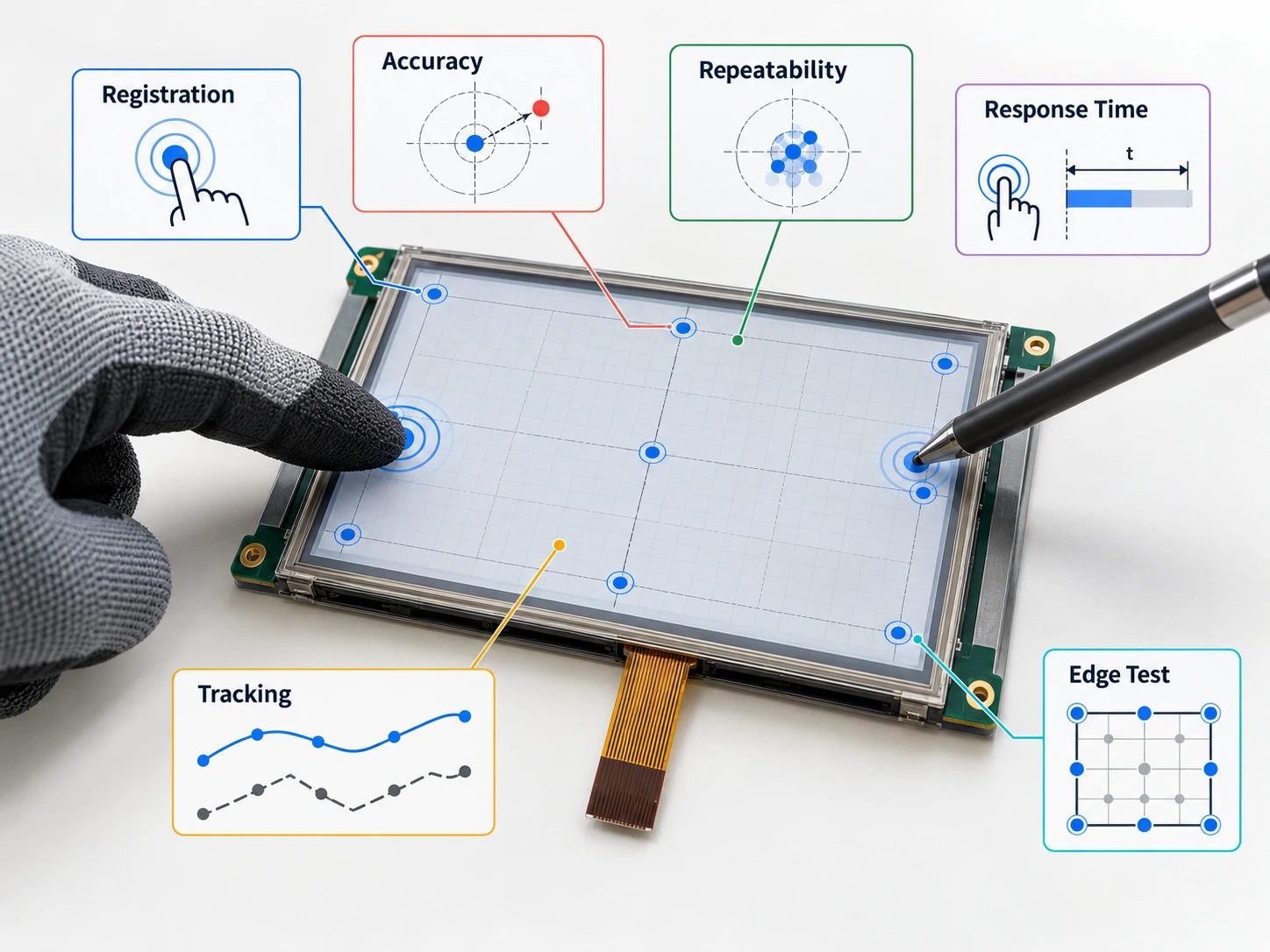
Acceptance limits should reflect the user interface. A large industrial button may tolerate more coordinate variation than a compact numeric keypad. Requirements should therefore be written in terms of actual target size, spacing, and operating risk.
Environmental and Mechanical Stress Checks
Glove and stylus testing should be repeated after relevant environmental exposure. Depending on the project, this may include low and high temperature, humidity, vibration, enclosure installation, cable routing, or repeated mounting cycles.
The purpose is not to claim a universal performance result. It is to verify whether the selected touch panel remains compatible with the intended input tools after the conditions that may alter mechanical alignment, material stiffness, cable strain, or surface friction.
Document the display orientation and viewing direction as well as the touch conditions. A module may meet the touch requirement but still be unsuitable if the visual interface becomes difficult to read in the target installation.
Procurement Checks for a Touch Display Module
Before approving a supplier sample, request documentation for:
- Active area and outline drawing
- Touch panel construction
- Controller and interface information
- Recommended input conditions
- Operating and storage temperature
- Cover or bonding options
- Cable length, pinout, and connector details
- Calibration requirements
- Available sample configuration
- Change-notification and revision-control process
Miqidisplay’s product pages show that touch support, interface, operating temperature, cable customization, and display dimensions should be considered together. For projects requiring a different size, connector arrangement, cover glass, or touch configuration, review the available custom display solutions and compare them with the project drawing.
A supplier evaluation should also confirm which results are guaranteed by specification, which are sample observations, and which require customer-side validation. This distinction prevents a successful prototype demonstration from being mistaken for a production acceptance test.
Conclusion
Resistive touch screen response testing with gloves and styluses should be controlled, repeatable, and tied to the real display module configuration. Test the production input tools across the full active area, measure registration and tracking separately, and repeat the checks under the environmental and mechanical conditions that matter to the equipment.
The most reliable sourcing decision comes from a shared test plan. It should define the glove, stylus, force, target size, response criteria, accuracy limits, environmental conditions, and documentation required for approval.
For a project-specific assessment, request a Miqidisplay technical fit review with those inputs. The engineering team can then assess the relevant display-module configuration, customization scope, sample requirements, documentation needs, and validation plan before quotation decisions are finalized.
FAQs
Can a resistive touch screen work with thick gloves?
It may, but performance depends on how effectively the glove transfers pressure and maintains stable contact. Test the exact glove and define acceptable force and registration limits.
What type of stylus should be used?
Use a stylus whose tip geometry and material are compatible with the panel. Validate the production stylus across large and small targets, different angles, and continuous strokes.
Should touch response be tested at the screen edges?
Yes. Edge and corner behavior can differ from center performance, especially when targets are close to the bezel.
Is a single successful tap enough for approval?
No. Repeatability, dynamic tracking, missed inputs, false activations, and environmental conditions should also be evaluated.
What information should be sent for a supplier review?
Provide the display type, diagonal size, outline dimensions, active area, resolution, interface, touch requirement, brightness, viewing direction, operating temperature, mechanical constraints, quantity, drawings, glove or stylus details, and integration environment.