









Cover-lens hardness for a resistive touch interface should be specified as part of the complete touch stack, not as an isolated number. The requirement depends on the top-layer material, contact tool, wear pattern, impact risk, chemical exposure, temperature range, and touch force. A harder surface may improve scratch resistance, but excessive stiffness, thickness, or coating mismatch can affect touch behavior or optical quality.
The goal is to protect the active area while preserving pressure transfer and repeatable assembly. Select the construction, define the test method, and validate it on the actual module and bezel arrangement.
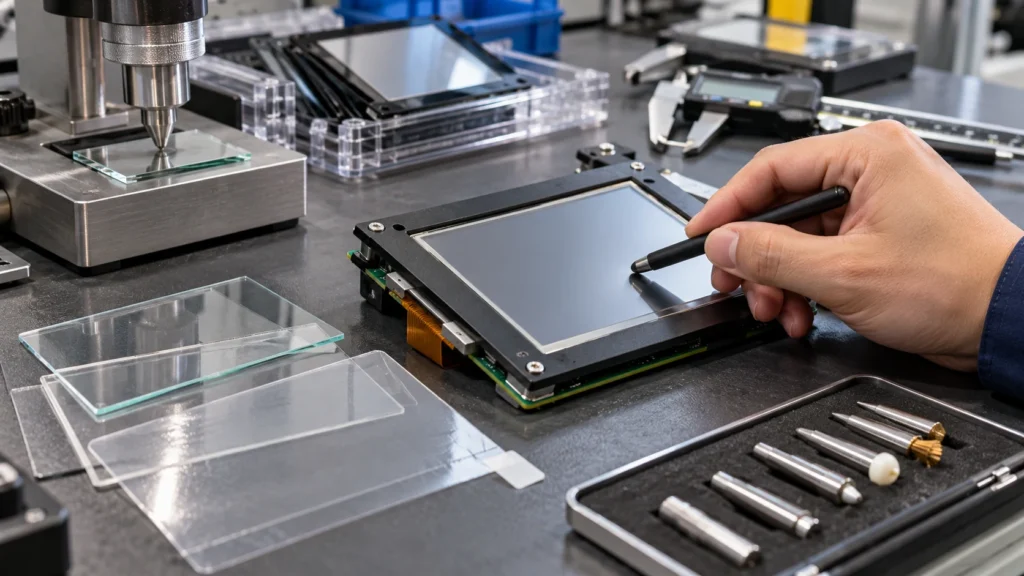
What Cover-Lens Hardness Protects
Hardness describes resistance to indentation or scratching under a defined test. It does not automatically describe impact strength, flex durability, chemical resistance, or adhesion. A rigid glass surface may resist sharp scratches but require a different edge and mounting design than a flexible polymer film. A hard-coated film may bend with the touch stack while still requiring verification against repeated stylus contact.
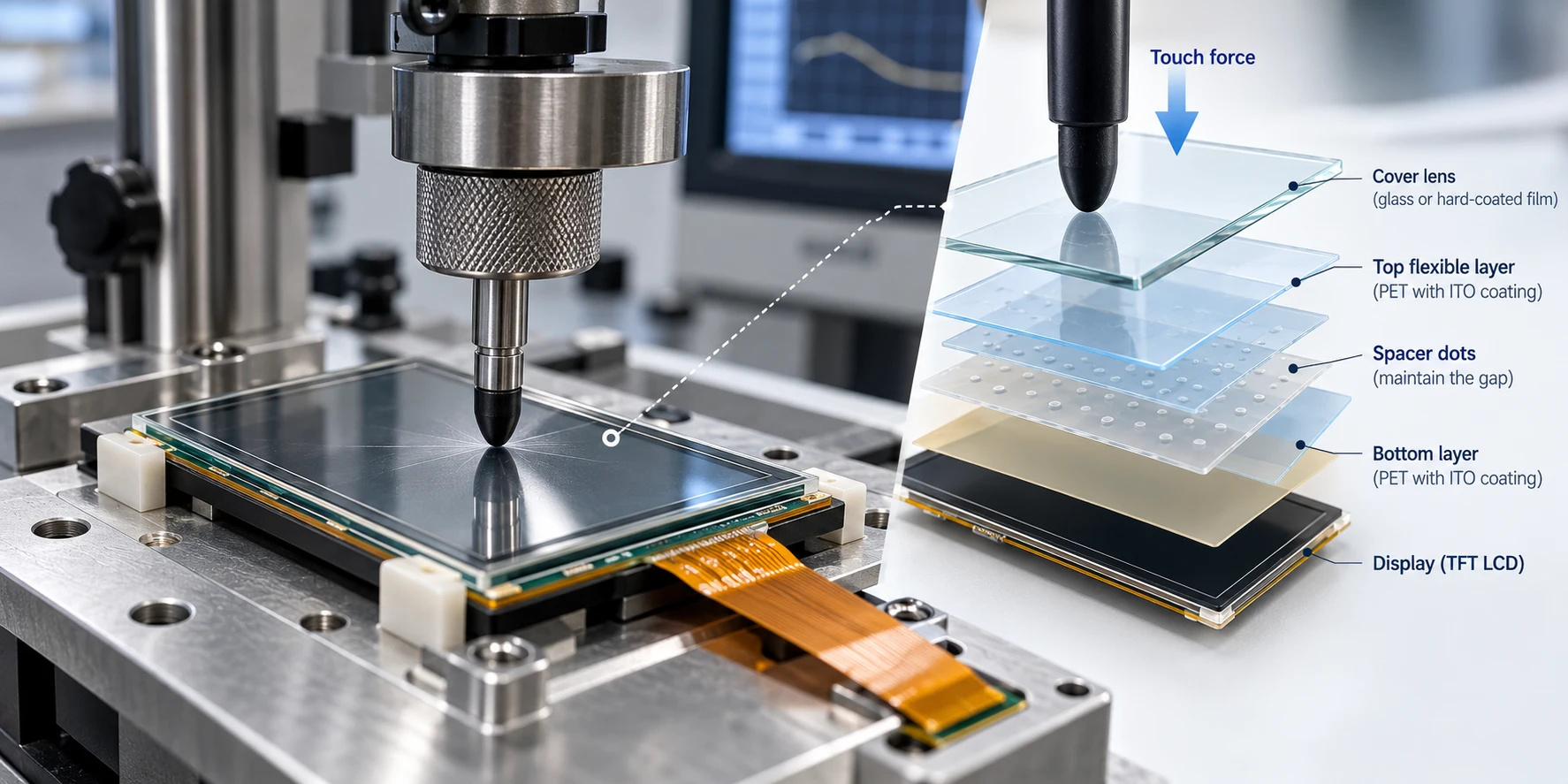
Pressure must travel through the cover surface, adhesive, spacer, and electrode structure. A specification focused only on cosmetic scratches can miss whether the selected surface remains mechanically compatible with the touch construction after assembly.
Start With the Resistive Touch Construction
Before setting a hardness target, confirm what the project calls a cover lens. Many resistive panels use a flexible clear film as the active top layer. Other constructions, including glass-film-glass designs, place a thin glass layer in the touch structure. A separate protective overlay may also be added above the sensor. These arrangements have different limits for thickness, deflection, edge support, and pressure transfer.
Review the supplier drawing for the selected resistive touch screen range. Confirm top-layer material, nominal thickness, active area, outline, tail exit, adhesive stack, and surface treatment. Do not assume two panels with the same diagonal size can use the same lens or hardness test.
Miqidisplay’s 2.8-inch SPI TFT LCD module with resistive touch is listed with 240×320 resolution, SPI interface, resistive touch support, 100 cd/m² brightness, and a -20°C to 70°C operating range. These values belong to that specific module and should not be generalized.
Translate the Use Case Into a Surface Requirement
Document how the surface will be touched and exposed before requesting a quotation or sample:
- Contact tool: fingertip, gloved finger, rounded stylus, narrow stylus, or another tool. Tip shape and force distribution matter as much as nominal hardness.
- Wear pattern: occasional selection, repeated entries, sliding gestures, or a fixed point with concentrated contact.
- Contamination: dust, grit, oil, moisture, or particles between the tool and surface.
- Chemical exposure: cleaning agents or process fluids that may contact the lens. A hardness result does not prove coating or adhesive compatibility.
- Mechanical risk: bezel compression, dropped tools, edge impact, vibration, or an unsupported opening.
- Visual requirement: acceptable haze, reflection, gloss, and cosmetic change after the intended wear cycle.
This prevents over-specification. When the use profile is unknown, request a conservative sample plan and identify the missing conditions as an engineering decision.
Balance Hardness With Touch and Optical Performance
A lens that is thicker or stiffer than the original stack may change activation force, linearity, or usable touch area. The effect depends on sensor construction, spacer geometry, adhesive, perimeter support, and controller calibration. Check it on the assembled module rather than inferring it from a material datasheet.
Optical bonding can reduce internal reflections and improve readability, but it changes the mechanical stack. When bonding is considered, verify touch force, coordinate accuracy, display uniformity, and edge stress together. A surface treatment that improves scratch resistance may also change glare, haze, or stylus feel.
Perimeter support should be shown in the drawing, including the bezel land, adhesive border, corner radii, and any raised features that could create a point load.
Specify the Test Method, Not Just 9H
Pencil hardness, Mohs hardness, indentation, abrasion, and impact tests are not interchangeable. The commonly quoted 9H label normally refers to a pencil-hardness procedure, not a universal performance grade. It cannot be compared directly with a Mohs value or treated as proof that an assembled touch module will withstand every scratch or impact scenario.
A supplier request should state:
- The substrate and surface treatment.
- The test method and standard revision, when applicable.
- Applied load, tip or pencil type, stroke count, speed, and conditioning.
- Whether acceptance is based on visible scratching, coating breakthrough, haze, electrical touch performance, or all of these.
- Sample size, viewing conditions, and pass/fail rule.
If the project has an internal standard, provide it with the drawing. Otherwise, request a method that matches the real contact tool and wear pattern.
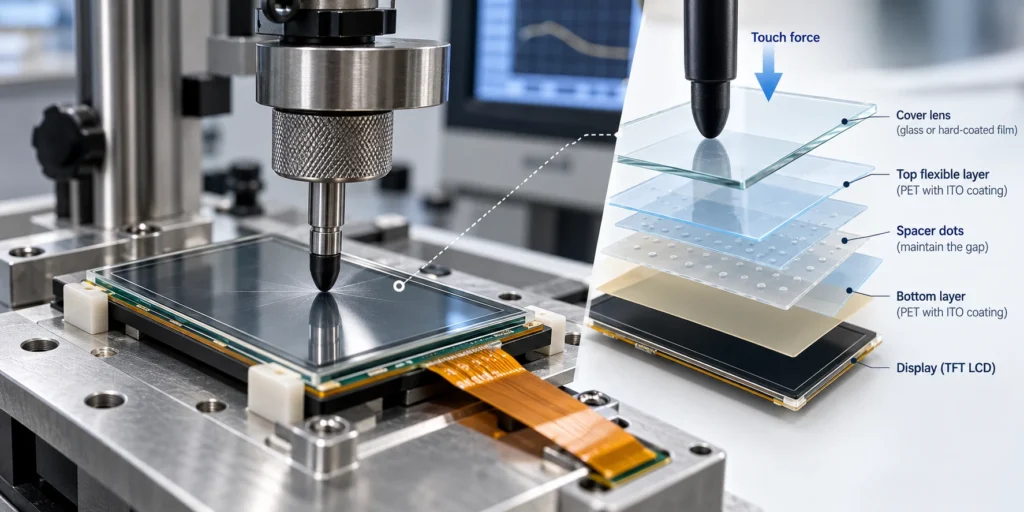
Validate the Complete Module Before Release
Approve hardness on representative samples with the final lens, adhesive, touch sensor, display, bezel, and mounting pressure. A practical sequence includes:
- Visual inspection before testing.
- Repeated finger and stylus contact using the intended tip geometry.
- Controlled abrasion or sliding wear representing the use case.
- Specified chemical and temperature exposure.
- Touch testing across the active area before and after exposure.
- Inspection for scratches, coating loss, haze, bubbles, edge lift, cracks, or pressure points.
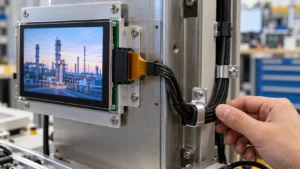
Record the sample revision, material lot, surface treatment, test setup, and photographs of cosmetic change. If the touch tail or connector is constrained by a small enclosure, coordinate the lens review with the resistive touch-tail routing guide. A lens can pass surface review and still fail integration if the enclosure compresses the stack or forces an unintended bend.
What to Put in the RFQ
Give the supplier enough information to assess component fit and validation scope. Include:
- Touch construction or wire configuration, if known.
- Cover material, target thickness, surface treatment, and hardness test preference.
- Diagonal size, active area, outline, corner radius, and bezel opening.
- Resolution, interface, brightness, viewing direction, and operating temperature.
- Bonding or air-gap preference.
- Stylus, glove, wear-cycle, chemical, and impact conditions.
- Mechanical drawings, section views, quantity, sample timing, and integration environment.
For a different glass, film, edge, or touch arrangement, Miqidisplay custom display solutions can start the technical review. The supplier should confirm the feasible stack, drawing changes, sample requirements, and documentation before production decisions.
Conclusion
The correct cover-lens hardness requirement matches the resistive touch construction and real use conditions. Define the material and stack first, specify the test method behind any hardness grade, then validate scratch resistance, touch response, optical quality, and mechanical fit on representative samples. A single number should support that decision, not replace it.
FAQs
Is a harder cover lens always better for a resistive touch interface?
No. More hardness may improve scratch resistance, but a stiffer or thicker surface can change pressure transfer, activation force, optical behavior, or edge stress.
Can glass be used in a resistive touch interface?
Yes, some constructions use glass within the touch stack or as a supported overlay. Thickness, support, pressure transfer, and touch performance still require verification.
Is 9H a universal cover-lens requirement?
No. 9H is generally a pencil-hardness reference tied to a particular test method. Load, pencil, stroke count, substrate, and acceptance rule must be documented.
What should be approved before production sourcing?
Approve the material, thickness, surface treatment, test method, mechanical drawing, touch performance, optical result, and validation record for the final module.
Request a Technical Fit Review for Your Resistive Touch Module
For a project-specific assessment, contact the Miqidisplay technical team with the display type, diagonal size, outline dimensions, active area, resolution, interface, touch requirement, brightness, viewing direction, operating temperature, mechanical constraints, quantity, drawings, and integration environment. These inputs enable a technical fit review covering component compatibility, customization scope, sample requirements, and documentation needs before a quotation assessment.
Email: mary@miqidisplay.com
WhatsApp: +86 189 6801 5464