





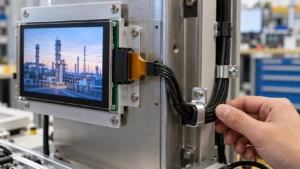
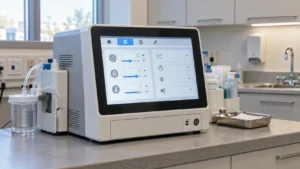

Capacitive Touch Screen
Our touch screen solutions support up to 32-inch displays with full lamination for PCAP and TFT, offering flexible USB/IIC connectivity and debugging capabilities. Customizable cover lenses include AG/AR/AF/AB coatings. Features like multi-touch, waterproof/glove touch, high stability, and interference resistance make them suitable for diverse applications.
Showing 17–27 of 27 results
-

13.3 inch Industrial Touch Screen 16:9 G+G USB Interface
- 13.3 inch
- USB
- 3 mm
- G+G
- microchip
-

15.6 inch 10 Point Capacitive Touch Panels with USB Interface
- 15.6 inch
- USB
- 3 mm
- G+G
- microchip
-

15″ Capacitive Touch Panel with 5-Finger Multi-Touch G+G 4mm Cover Glass
- 15 inch
- USB
- 4 mm
- G+G
- microchip
-

18.5″ Industrial-Grade Capacitive Touch Panel with 10-Point Multi-Touch
- 18.5 inch
- USB
- 3 mm
- G+G
- microchip
-

23.8″ 5-Point Custom Capacitive Touch Panel with USB Interface
- 23.8 inch
- USB
- 6 mm
- G+G
- microchip
-

3.5 inch PCAP Touch Panel 2:3 G+G IIC Interface 5 Point Touch
- 3.5 inch
- IIC
- 0.7 mm
- G+G
- microchip
-

5 inch TFT Capacitive Touch Screen G+G IIC&USB Interface Multi Touch
- 5 inch
- IIC, USB
- 1.1 mm
- G+G
- ILITEK
-

5.7 inch Projected Capacitive Touch Screen 4:3 G+G IIC Interface
- 5.7 inch
- IIC
- 0.7 mm
- G+G
- ILITEK
-

6.8 Inch 5-Point Capacitive Touch Screen with USB Interface
- 6.8 inch
- IIC
- 1.1 mm
- microchip
- G+G
-

7 inch Capacitive Touch Screen G+G IIC Interface 10 Point Touch
- 7 inch
- IIC
- 3 mm
- G+G
- microchip
-

7 inch TFT Capacitive Touch Screen 15:9 G+G IIC Interface
- 7 inch
- IIC
- 3 mm
- G+G
- microchip