











Introduction: From Passive Display to Intelligent Interface
An LCD screen used to be just a simple passive part. It only showed pictures and data sent from the control system. Now, with fast changes in display technology, today’s LCD panels come with many built-in sensors. These turn the screen into a smart interface that can feel the world around it and react right away.
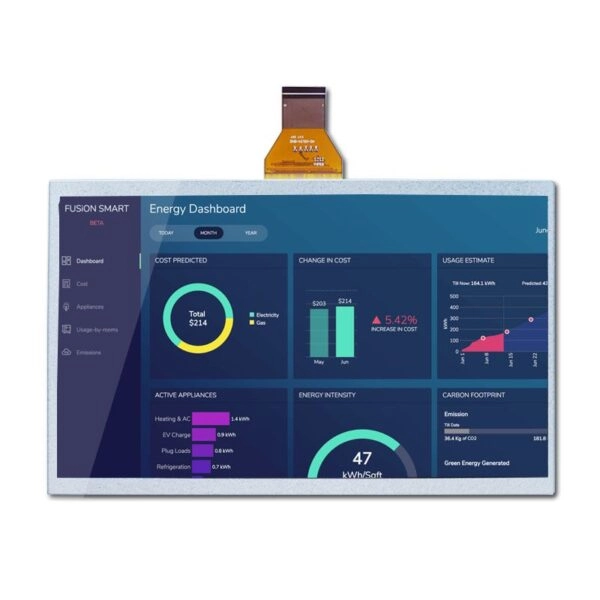
A sensor for an LCD screen means tiny electronic parts placed inside or near the display module. They help the screen notice things like light level, touch, closeness, and surrounding color warmth. In industrial, medical, automotive, and outdoor uses, adding sensors has become very important. It makes devices easier to use, more dependable, and saves power.
What Is a Sensor in an LCD Screen?
Definition and Basic Concept
A sensor in an LCD screen is a small electronic piece made to change real-world signals — like light, distance, pressure, or color — into electric signals. The display control system can then understand these signals. The liquid crystal panel itself only creates the picture. Sensors give the screen the ability to notice what is happening around it.
The Role of Sensors in Modern Display Systems
When sensors are added, LCD screens stop being just static picture show-ers. They become smart systems that can change themselves. This lets displays automatically adjust brightness, color warmth, and working state according to what is happening right now. In industrial and business equipment, this smart feature greatly improves steady work and makes users happier.
What Are the Main Functions of LCD Screen Sensors?
The jobs of sensors in LCD screens fall into four big groups: making the display better, helping people use the machine, saving power, and keeping the device safe.
Display Optimization
Sensors let screens quickly change to match the light around them. This keeps text easy to read, colors true, and eyes less tired whether inside or outside.
Human–Machine Interaction
Touch and proximity sensing make it possible for users to work directly with what appears on the screen. This is needed for today’s control panels, self-service machines, and smart gadgets.
Energy Efficiency and Power Management
By noticing changes around them and whether someone is there, sensors cut down wasted power. This matters a lot for devices that run on batteries or solar power.
Equipment Protection and Reliability
Sensors also help the device last longer. They stop wrong touches, lower heat problems, and keep working conditions good even in tough places.
Common Types of Sensors Used in LCD Screens
Environmental Light Sensor
What It Is
The environmental light sensor works like the “eyes” of the LCD screen. It measures how bright the light is around the display.
Core Functions
Its main job is automatic brightness control. When sunlight is strong, the sensor tells the system to make the backlight brighter so everything stays clear. In dark places, it lowers brightness. This reduces harsh light, saves eyes, and uses less power.
In industrial LCD uses, steady brightness control also keeps contrast and clear reading the same no matter the light.
Touch Sensor
What It Is
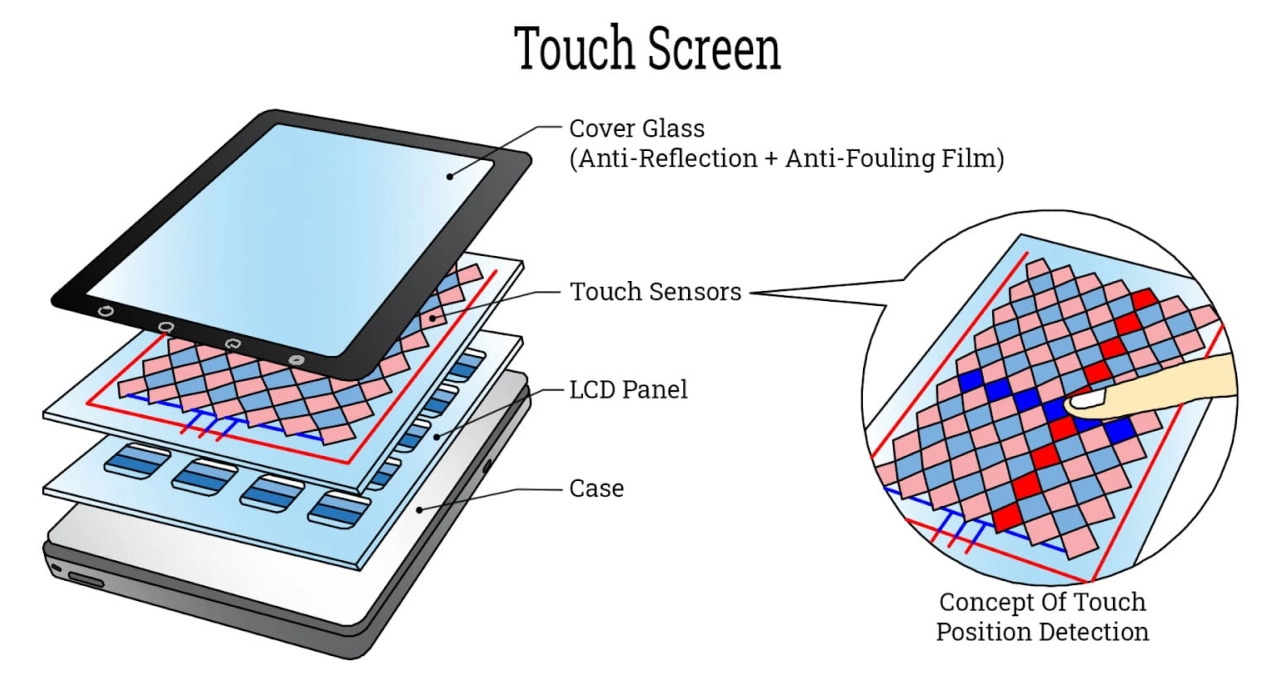
The touch sensor works like the “skin” of the screen. It feels when fingers or objects touch the surface or make gestures.
Core Functions
Touch sensors let people tap, slide, drag, and use many fingers at once. This forms the base for modern human–machine interfaces found in industrial control panels, medical equipment, kiosks, and built-in systems.
By removing real buttons, touch sensors allow smaller designs, fully sealed front panels, and better protection against dust and water.
Proximity Sensor
What It Is
A proximity sensor notices objects or people coming close to the screen without actual touching.
Core Functions
One useful job is stopping mistakes. When something gets near, the system can pause touch input or turn the screen off for a moment. Many communication devices and industrial terminals use this.
In better systems, proximity sensors also wake the display without touch. The screen turns on when someone walks up and goes to sleep when nobody is around.
Color Sensor
What It Is
The color sensor works like a “color vision fixer.” It measures the warmth of the light around the screen.
Core Functions
By checking the color of nearby light, the display can fix white balance and color output. This keeps pictures looking natural and correct. It is especially helpful in medical imaging, design work, and outdoor displays where true color really matters.
The Importance of Sensors in Outdoor High-Brightness LCD Screens
Challenges of Outdoor Display Environments
Outdoor LCD screens face hard conditions. Strong sunlight, quick light changes, big temperature swings, and long running hours are common. Just a high-brightness panel is not enough for good results.
Sensor-Driven Intelligent Brightness Control
Ambient light sensors are very important for outdoor high-brightness LCD screens, such as 600-nit to 1000-nit industrial displays. These sensors make brightness change instantly. The screen stays readable but does not waste power or get too hot.
Automation and System Reliability
When paired with proximity sensors, outdoor LCD systems can work smarter. For example, the screen turns on only when people are close. This saves energy and makes backlight and power parts last much longer.
Sensor Integration in Industrial and Commercial Applications
Industrial Control and Automation
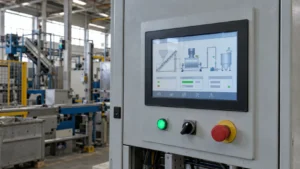
In factories, LCD screens with sensors make work safer and faster. Automatic brightness keeps things visible even when factory lights change. Touch and proximity sensors make machines simple to control.
Medical and Healthcare Equipment
Medical-grade displays need sensors to keep brightness and color steady. Ambient light and color sensors help doctors trust what they see no matter the room light.
Transportation and Smart Infrastructure
In vehicles, trains, and smart city systems, sensor-equipped LCD screens run all day, stay easy to read, and need less fixing.
Summary: Why Sensors Are the Core of Intelligent LCD Screens
Sensors are key parts that lift LCD screens from simple display units to smart, changing interfaces. They give the ability to notice, interact, and understand the environment. Because of this, display quality, power saving, and user comfort get much better.
As LCD technology keeps growing, adding sensors will stay a major difference-maker, especially in industrial, outdoor, and professional display markets.
Frequently Asked Questions (FAQ)
What sensors are most important for industrial LCD screens?
Ambient light sensors and touch sensors are the most critical, as they directly affect visibility, usability, and energy efficiency.
Are sensors integrated inside the LCD panel or externally?
Sensors can be integrated within the display module or positioned around the screen, depending on design requirements and application scenarios.
Do sensors increase the cost of an LCD screen?
While sensors add to component cost, they significantly reduce operational expenses by improving energy efficiency and extending product lifespan.
Are sensors necessary for outdoor LCD displays?
Yes. Without ambient light and proximity sensors, outdoor LCD screens cannot reliably adapt to changing light conditions or optimize power usage.
Partner with Miqidisplay for Advanced Sensor-Integrated LCD Solutions
As a leading manufacturer, supplier, and factory specializing in high-brightness industrial LCD monitors, Miqidisplay delivers customized TFT panels from trusted brands like Tianma, AUO, and Innolux, complete with integrated sensors for optimal performance in demanding applications. With over 20 years of OEM/ODM expertise, 90% on-time delivery, and certifications including ISO-9001 and TS-16949, Miqidisplay ensures seamless integration of environmental light, touch, proximity, and color sensors into solutions like the 13.3-inch 1000nits outdoor displays. Contact the Miqidisplay team today at mary@miqidisplay.com or +86 188 7965 2960 via WhatsApp to request tailored quotes, R&D consultations, or prototypes—empower your production lines with reliable, sensor-enhanced displays that drive efficiency and innovation.