




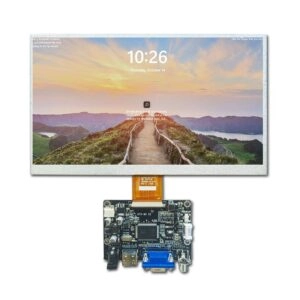
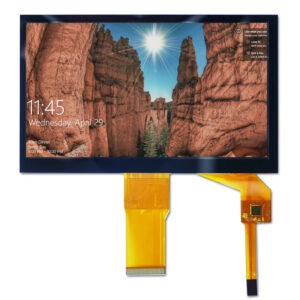

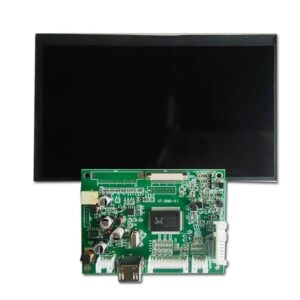
Selecting an LCD panel for an existing HDMI driver board requires more than matching screen size and resolution. In industrial projects, compatibility depends on electrical interface, native resolution, connector definition, voltage, signal timing, backlight requirements, mechanical dimensions, and operating conditions.
For purchasing teams, technical compatibility is only one part of the sourcing decision. Supplier capability, quality control, production capacity, customization support, delivery stability, and long-term availability can all affect whether a panel is suitable for mass production.
Does an HDMI Driver Board Work With Any LCD Panel?
An HDMI input does not mean that a driver board can operate every LCD panel.
HDMI normally describes the signal entering the driver board. The connection between the board and the LCD panel may use a panel-side interface such as LVDS or eDP. The board must therefore support the electrical requirements of the selected LCD panel.
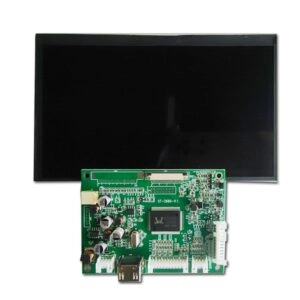
Screen size alone cannot confirm compatibility. Two panels with the same diagonal size may use different resolutions, interfaces, connectors, voltages, timing parameters, or mechanical structures.
Resolution alone is also insufficient. Panels with identical pixel counts can still require different electrical configurations.
Check the LCD Panel Interface First
The panel interface is one of the most important specifications to verify before procurement.
LVDS LCD Panel Compatibility
For an LVDS LCD panel, the engineering specification should confirm:
- LVDS channel configuration
- Signal mapping
- Bit depth
- Connector type
- Pin definition
- Panel voltage
- Required timing
A general description such as “LVDS panel” is not detailed enough for production approval. The exact panel model and datasheet should be used as the technical reference.
eDP LCD Panel Compatibility
An eDP LCD panel requires a board output designed for the required eDP configuration. LVDS support does not automatically indicate eDP compatibility.
Relevant parameters can include lane configuration, connector definition, resolution support, voltage, and timing requirements.
Do Not Rely on Connector Appearance
A connector with the same size or pin count does not necessarily have the same electrical definition.
Procurement and engineering teams should verify power pins, ground pins, signal pairs, control pins, and other assigned functions before approving a panel.
Match Native Resolution and Signal Timing
The native resolution of the LCD panel must be supported by the driver board.
A board with a high maximum resolution does not automatically support every lower-resolution panel. Actual compatibility can also depend on the output timing and signal configuration.
Important parameters may include:
- Horizontal and vertical resolution
- Pixel clock
- Refresh requirements
- Horizontal timing
- Vertical timing
- Channel or lane configuration
- Signal mapping
These parameters should be compared using the controlled panel datasheet and the board specification.
Verify Voltage and Backlight Requirements
Electrical compatibility also depends on correct power requirements.
The panel logic voltage should match the available output from the driver board. Incorrect voltage selection can make an otherwise similar panel unsuitable for the application.
Backlight requirements should also be checked, including:
- Required power
- Current requirements
- Enable control
- Brightness control method
- Dimming requirements
For industrial procurement, these specifications should be confirmed before sample approval rather than treated as adjustments after production begins.
Confirm Mechanical Compatibility
Electrical compatibility does not guarantee that a panel can be integrated into an existing industrial product.
Mechanical drawings should be reviewed for:
- Overall dimensions
- Thickness
- Active area
- Viewing area
- Connector position
- Cable direction
- Assembly clearance
Panels with the same nominal screen size can have different outline dimensions and connector locations. These differences may affect enclosure design, cable routing, and assembly tolerances.
Evaluate Industrial Operating Conditions
Industrial LCD procurement should consider the actual operating environment from the beginning of the sourcing process.
Operating Temperature
Required operating and storage temperature ranges should be defined in the RFQ. Equipment used in manufacturing, energy systems, test instruments, transportation electronics, and other industrial environments may experience wider temperature variation than general commercial applications.
Brightness
Brightness should be specified according to the actual ambient-light conditions.
Higher brightness is not automatically the better choice. Power consumption, thermal performance, visual requirements, and expected operating hours should be considered together.
Long-Duration Operation
Industrial equipment often operates for extended periods. Panel selection should therefore consider stable visual performance, operating temperature, electrical consistency, and expected product availability throughout the project lifecycle.
Evaluate the LCD Screen Supplier Before Mass Production
Technical sample approval should not be the only supplier qualification criterion.
A B2B sourcing decision should also evaluate whether the LCD supplier can support consistent production and documentation.
Quality and Certification Verification
Procurement teams should request relevant and current documentation according to the requirements of the project.
Supplier evaluation may include:
- Quality management certificates
- Certificate scope and validity
- Inspection procedures
- Batch traceability
- Compliance declarations
- Reliability documentation
- Corrective-action procedures
- Change-notification processes
Certification claims should be verified against current documents rather than accepted only from marketing descriptions.
Production Capacity and Lead Time
Industrial programs should distinguish between prototype availability and recurring production capability.
Important commercial questions include:
- Sample lead time
- Mass-production lead time
- Minimum order quantity
- Forecast requirements
- Monthly or annual capacity
- Peak-demand support
- Production scheduling
- Long-term availability
Capacity should be evaluated against the expected project volume rather than as a general supplier claim.
Product Lifecycle and Supply Continuity
Industrial equipment may remain in production for many years. A panel that is technically suitable but difficult to source consistently can create additional qualification costs and production risk.
Supplier evaluation should therefore include product lifecycle expectations, specification-change notification, discontinuation procedures, alternative planning, and last-time-buy support where applicable.
Assess LCD Screen Customization Capability
Standard panels do not always meet every industrial integration requirement.
Depending on the project, screen-level customization may involve:
- Cable length
- Cable position
- Connector configuration
- Pin arrangement
- Backlight parameters
- Brightness requirements
- Cover glass dimensions
- Optical bonding
- Mechanical adaptation
Customization requirements should be defined before quotation because they may affect engineering work, sample preparation, MOQ, tooling, and production lead time.
What Should an Industrial LCD RFQ Include?
A detailed RFQ improves technical evaluation and reduces sourcing ambiguity.
Key information should include:
- Existing driver board model and specification
- Required panel size
- Native resolution
- Panel interface
- Connector requirements
- Voltage
- Brightness
- Operating temperature
- Mechanical dimensions
- Cable requirements
- Application environment
- Sample quantity
- Estimated annual demand
- Target production schedule
- Customization requirements
- Required quality documentation
Providing this information early allows technical feasibility, commercial terms, production capacity, and customization requirements to be assessed together.
FAQ
Can any HDMI driver board work with any LCD panel?
No. Compatibility depends on the panel-side interface, resolution, signal timing, connector, pin definition, voltage, and backlight requirements.
Is matching screen size and resolution enough?
No. Panels with the same size and resolution can still use different interfaces, connectors, voltages, timing specifications, or mechanical structures.
What is the most important document for checking compatibility?
The exact LCD panel datasheet is the primary technical reference. Mechanical drawings and driver board specifications should also be reviewed.
What should procurement teams evaluate besides technical compatibility?
Supplier quality systems, documentation, production capacity, MOQ, lead time, lifecycle support, traceability, change management, and customization capability should also be evaluated.
Why is long-term availability important for industrial LCD sourcing?
Industrial products often have longer production cycles. Stable availability reduces the risk of redesign, repeated qualification, inventory disruption, and unplanned engineering changes.
Source Compatible LCD Panels From an Industrial LCD Screen Manufacturer
Miqidisplay supports B2B industrial projects with LCD panel specification matching and screen-level customization. Engineering and procurement teams can submit driver board specifications, target panel requirements, estimated volume, and customization needs through the Contact Us page to request a compatibility review, sample support, and production quotation.
Email: mary@miqidisplay.com
WhatsApp: +86 189 6801 5464; +44 07892800850