





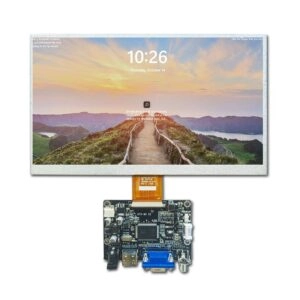
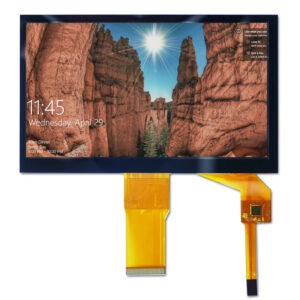

In the world of industrial display tech, LCD panels act as key parts in human-machine interfaces (HMI), control setups, and built-in uses. Words like pixels, resolution, and aspect ratio make up the basic parts that decide display quality, clearness, and ease of use in tough places like factory floors, automation systems, and strong tools. These specs straight affect how well workers can watch processes, understand data pictures, and work with machine screens.
Pixels: The Building Blocks of Your Display
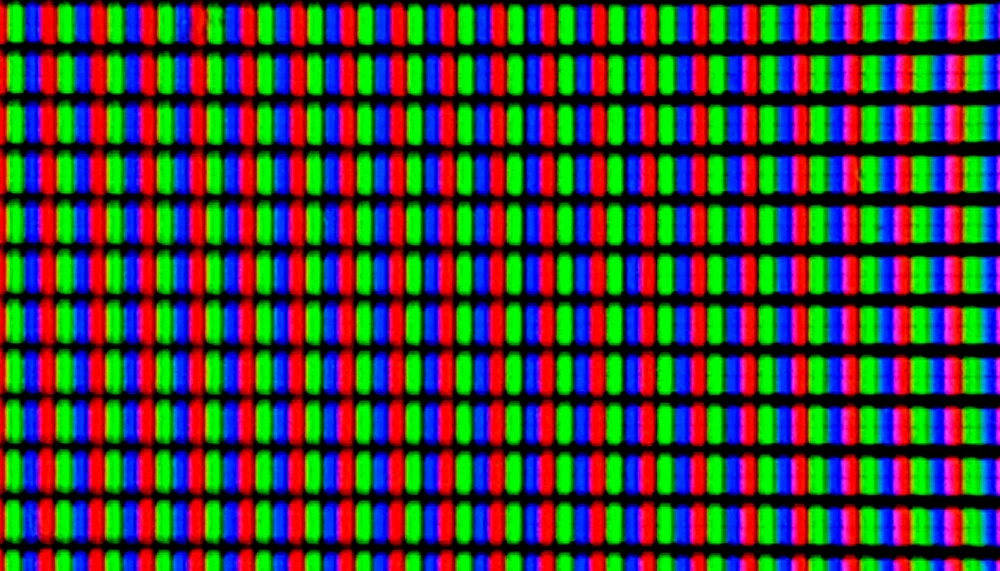
Pixels stand for the basic units in any LCD screen. They work as the tiniest points that can show color and light. Each pixel has sub-pixels—usually red, green, and blue (RGB)—which mix to create a full range of colors through adding light. In industrial LCD panels, like those in control boxes or panel PCs, the setup and control of these pixels set the accuracy of graphic shows, from wave charts in oscilloscopes to status lights in programmable logic controllers (PLCs).
The closeness and quality of pixels right away change picture truth. In high-risk settings, where workers need to spot small details like error codes or sensor data from far away, more pixels improve readability and cut mistake chances. For example, TFT LCD modules with better pixel setups, like in-plane switching (IPS) panels, keep steady color truth across view angles up to 178 degrees. This matters for team watch stations in assembly lines.
Pixel work depends on the liquid crystal stuff’s reaction to electric fields. It twists to control backlight passage. In industrial-grade displays, adds like anti-glare layers and bright backlights (often over 500 nits) make sure pixels give clear output even in well-lit factory areas. As the group of pixels grows with screen size, their job goes past simple image making. It also aids touch actions, where exact pixel-level setup allows right capacitive sensing in HMI touchscreens.
LCD Display Resolution: How Sharp is Your Image?
Resolution counts the total pixels placed across and down on an LCD screen. It serves as a main sign of image sharpness and detail power. In industrial uses, where screens must show complex data flows—such as live telemetry in SCADA systems or multi-layer plans in CNC machines—higher resolutions mean better detail. This allows for drawing fine lines and text without rough edges.
Common resolution standards in LCD tech include:
- HD (1280×720): Good for small built-in panels in simple tools. It gives enough clearness for letter and number shows while saving processing power.
- Full HD (1920×1080): A useful standard for mid-size industrial monitors. It balances detail for dashboard pictures with fit across normal graphics controls.
- Quad HD (2560×1440): Perfect for tasks that need better zoom skills, such as quality check stations. Here, workers look at tiny flaws in product images.
- 4K UHD (3840×2160): Used in big-format displays for command centers. It lets the same-time show of many high-quality feeds from watch cameras or process models.
Picking the right resolution means checking the display’s link with host systems. Higher pixel numbers need more computing work from GPUs and drivers. In TFT LCD setups, resolutions often pair with LVDS or eDP links to manage data flow well. This ensures smooth updates in changing places like robot control screens. Also, resolutions must match content making software. Wrong settings can cause scaling flaws and harm the truth of key work displays.
Aspect Ratio: How Wide Is Your Screen?
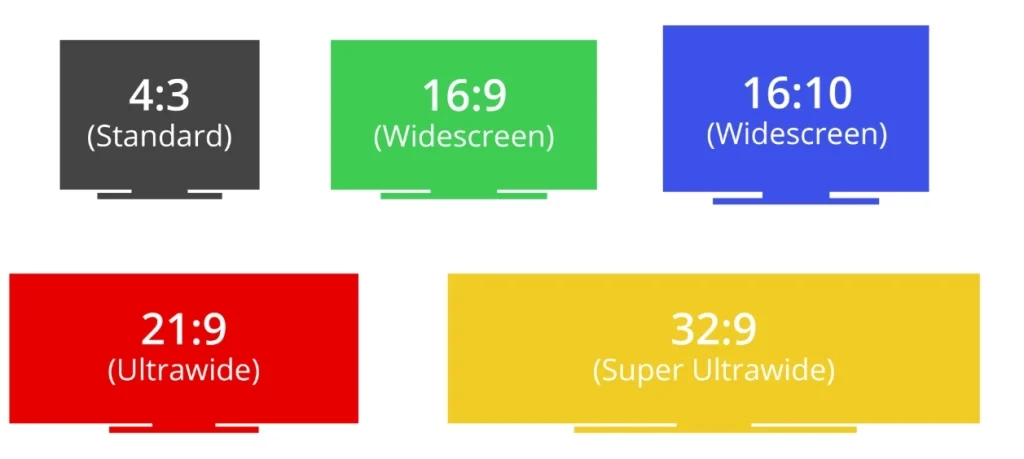
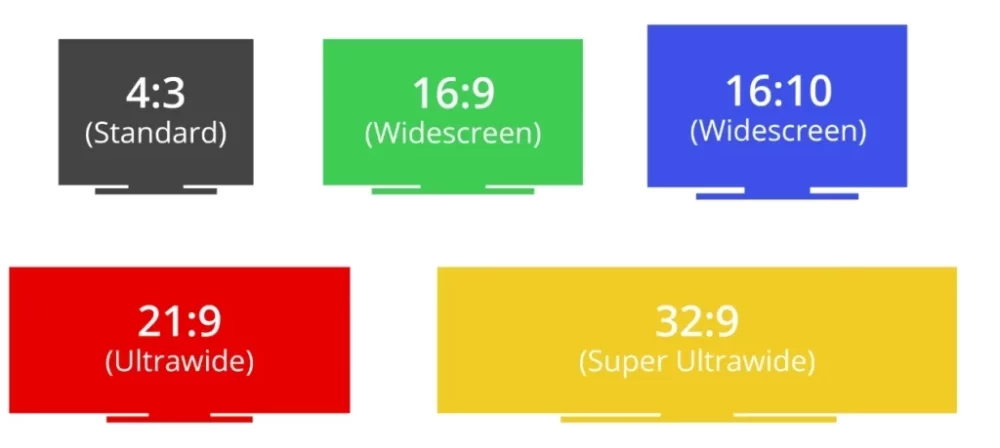
Aspect ratio sets the balanced link between a display’s width and height. It shapes the setup of content and the comfort of user actions in industrial setups. Shown as a simple fraction, this ratio forms how info is placed in space. It affects everything from menu moving in operator panels to wide views in video wall groups for production watch.
Prevalent aspect ratios in LCD panels include:
- 16:9: The main standard for widescreen forms in industrial monitors. It helps horizontal data lines like trend graphs or multi-measure meters in energy control systems.
- 4:3: Kept in old-fit uses, such as older medical check tools. Here, square-like shapes fit classic plan layouts without twist.
- 21:9: Ultrawide setups shine in stretched bar displays for shelf-edge signs or straight process watch. They give wide horizontal space for step-by-step work flow pictures.
In real use, aspect ratio choice depends on the shape of the app screen. For instance, 16:10 types give a small vertical add that helps vertical scrolling in engineering programs. These are common in CAD-linked workstations. Industrial LCDs with odd ratios, like those in 32:9 curved panels, boost situation awareness in control rooms. They copy natural view field growths. Fit with aspect ratio goes to bezel designs and mounting fixes. This ensures easy joining in multi-display groups for full site watch.
The Connection Between Pixel Density, Resolution, and Aspect Ratio
Pixel Density (PPI)
Pixel density, measured in pixels per inch (PPI), counts the focus of pixels in a set area. It links resolution and real sizes to give seen sharpness. In LCD displays, this measure is key for industrial sight. Higher PPI values stop pixel show in close looks, such as barcode check terminals.
Resolution
Resolution sets the pixel total. Aspect ratio rules their spread—wider ratios stretch horizontal pixel lines. This may thin density unless fixed by higher total counts. For example, a 1920×540 resolution in a 21:9 stretched TFT LCD gives lower vertical density fit for long screens like conveyor belt status lines. Yet it keeps horizontal clearness for quick scans.
Aspect Ratio
These links force system thinks. High resolutions boost PPI but raise power use and heat output. This needs strong cooling in closed boxes. Aspect ratios change effective density. A 16:9 panel at 4K resolution hits around 140 PPI on a 27-inch diagonal. This is great for detailed HMI draws. But the same resolution on a 21:9 spread thins to under 100 PPI. It favors width over detail. Best setup needs full check. It joins driver boards with changing scaling to keep density across ratios. Thus, it holds visual truth in different light and resolution-change rules.
Choosing the Right Resolution and Aspect Ratio for Your Needs
Resolution and aspect ratio pick must match the needs of industrial join. It gives priority to points like screen fit, environment strength, and data flow. For standard HMI panels in automation boxes, a Full HD 16:9 setup works well. It gives crisp icons and text without overloading built-in processors.
In cases with wide data views, such as process control dashboards, Quad HD or 4K resolutions with 21:9 ultrawide ratios grow view space. They fit side-by-side analytics without often moving. On the other hand, square 4:3 ratios stay in special gauges where vertical truth beats width. This is seen in vertical flow charts for fluid move watch.
Real tests stress the need to match these specs to work flows. Wrong resolutions can cause delay in touch answers. Bad ratios break content flows. Advanced TFT LCDs with module driver boards allow after-setup changes. But first match with system builds—thinking MIPI or RGB links—ensures long life and little stop time in 24/7 uses.
Choosing the Right Display for Your Needs
The team work of pixels, resolution, and aspect ratio supports good LCD use in industrial models. Balance among these parts—fit to flow, sight, and comfort needs—strengthens system strength. Careful check of hardware links, from backlight change to link rules, leads to picks that push work accuracy and growth.
FAQ
What is a pixel in the context of LCD displays?
A pixel is the smallest controllable element on an LCD screen. It is made of RGB sub-pixels that make colors for image building in industrial pictures.
How does LCD resolution impact industrial applications?
Higher resolutions better detail drawing. This improves accuracy in data reading for control systems and watch screens.
What role does aspect ratio play in display selection?
Aspect ratio sets content layout balances. It affects ease in horizontal versus vertical data shows within HMI designs.
How is pixel density calculated and why is it important?
Pixel density (PPI) comes by dividing resolution by diagonal size. It ensures sharpness in close-view tools like check devices.
Can aspect ratio affect resolution performance?
Yes, wider ratios spread pixels horizontally. This may need higher total resolutions to keep even density.
Partner with Miqidisplay: Empower Your Industrial Projects as a Trusted Manufacturer and Supplier
As a leading manufacturer, supplier, and factory specializing in TFT LCD displays and industrial monitors, Miqidisplay brings custom, high-trust solutions certified under ISO-9001, TS-16949, and RoHS standards. With over 20 years of OEM/ODM skill, the company gives one-stop services including touch joins, driver boards, and R&D help for HMI uses in automation, medical tools, and control systems. Working from modern sites in Shenzhen and Hangzhou, Miqidisplay ensures 90% on-time delivery and 24/7 global aid. Partners gain from flexible customs in sizes from 0.96 to 57.2 inches, resolutions up to 3840×1080, and links like HDMI, LVDS, and MIPI. These are fit for tough settings (-30℃ to 85℃ operation).
Contact the sales team today at mary@miqidisplay.com or +86 188 7965 2960 (WhatsApp) for free talks, product lists, and fair quotes to ease your supply chain and speed project times.