







Introduction
Can a 4:3 industrial display be replaced with a 16:9 display without redesign? In most OEM systems, the answer is no. Mechanical limits and software needs usually require changes in both hardware and software. The main difference between 4:3 and 16:9 industrial displays lies in compatibility and system design.
4:3 industrial displays work well in older systems with set panel cutouts and proven SCADA/HMI interfaces. They offer stable integration and need few changes. 16:9 industrial displays fit new OEM designs. They support modern user interfaces, multi-window setups, and advanced visualization tools.
In most industrial applications, compatibility needs come first over aspect ratio choices. Picking the wrong aspect ratio often leads to panel cutout problems, HMI layout issues or scaling trouble, more engineering work, integration delays, and higher total project costs. These problems seldom show up in early design. They usually appear during system integration or field use.
In many OEM projects, mismatched aspect ratios cause redesign cycles, delayed product releases, and increased system costs. For engineers and system integrators, aspect ratio acts as a key system limit. It directly affects compatibility, integration complexity, and long-term maintenance.
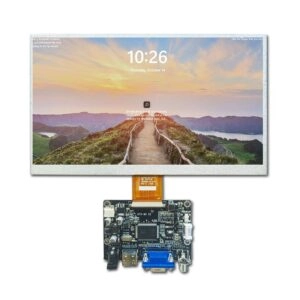
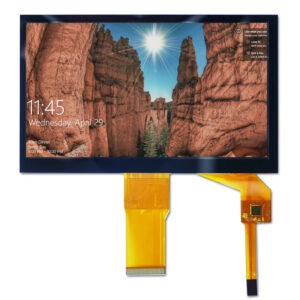
For a broader overview of display selection in real systems, including interface types, enclosure design, and mounting considerations, industrial display monitors need careful evaluation.

Key Differences Between 4:3 and 16:9 Industrial Displays
The distinction between 4:3 and 16:9 industrial displays comes mainly from system compatibility and design purpose.
- 4:3 displays usually appear in legacy systems with fixed panel cutouts and established SCADA/HMI layouts.
- 16:9 displays appear in new OEM designs. They support modern UI frameworks, multi-window layouts, and visualization systems.
In industrial environments, compatibility requirements generally take priority over display format preferences.
Aspect Ratio and Its Impact on System Integration
Aspect ratio defines the proportional relationship between display width and height. In OEM systems, it directly affects HMI and SCADA layout compatibility, panel cutout dimensions and enclosure limits, software rendering and scaling behavior, and operator interaction efficiency.
If the aspect ratio does not match system requirements, typical issues include distorted or clipped interfaces, mechanical installation conflicts, and extra engineering effort during integration.
Quick Selection Guide for Engineers
Use 4:3 Industrial Displays When
- Upgrading or replacing existing systems
- Mechanical dimensions stay fixed
- Running legacy SCADA or HMI software
Use 16:9 Industrial Displays When
- Designing new OEM equipment
- Implementing modern UI frameworks
- Requiring dashboards and visualization tools
Engineering Rule of Thumb
4:3 supports compatibility and lower integration risk. 16:9 provides flexibility and modern system design.
4:3 Industrial Displays for Legacy System Stability
Key Characteristics
4:3 displays offer a taller format with common resolutions such as 640×480, 800×600, and 1024×768. They provide native compatibility with SCADA and HMI platforms.
Engineering Advantages
These displays require no enclosure modification. They deliver predictable UI scaling behavior. They present lower integration risk in retrofit projects. They also suit vertically structured data.
Typical Applications
Common uses include:
- CNC control panels
- Industrial automation HMIs
- Medical and laboratory equipment
- Power monitoring systems
16:9 Industrial Displays for Modern OEM Design
Key Characteristics
16:9 displays feature a wide horizontal layout with common resolutions including 1280×720 and 1920×1080. They optimize for modern UI frameworks.
Engineering Advantages
These displays support multi-window interfaces. They suit dashboards and data visualization. They align with modern software ecosystems. They also enable easier component sourcing.
Typical Applications
Applications encompass:
- Smart factory dashboards
- Transportation control systems
- Retail kiosks and terminals
- Machine vision systems

4:3 vs 16:9 Industrial Display Comparison
4:3 displays primarily serve legacy systems with straightforward retrofit integration and low risk. They maintain vertical layouts suited to structured data.
16:9 displays target new designs with potential redesign needs during integration. Yet they offer horizontal/dashboard flexibility and wide availability.
Overall, 4:3 minimizes integration risk in existing systems. 16:9 enables flexibility in new designs.
Replacement Risks When Changing Aspect Ratio
Switching the aspect ratio without full system evaluation introduces several risks:
- Mechanical mismatch where the display does not fit the existing panel cutout
- UI distortion that renders interfaces unusable
- Software rework with increased engineering effort
- Integration delays that extend project timelines
In many OEM projects, these risks exceed the hardware cost of the display itself.
Real Retrofit Case: 4:3 to 16:9 Replacement Failure
In a retrofit project for an industrial control system, an OEM attempted to replace a 10.4″ 4:3 display (1024×768) with a 16:9 panel (1280×800).
Initial Assumption
The replacement appeared straightforward. The signal interface (such as LVDS) was compatible. The new panel offered higher resolution. Minor mechanical adjustment seemed feasible.
Issues Encountered
Panel Cutout Mismatch
The existing enclosure was designed for 4:3. The horizontal size increase caused misalignment. Front panel sealing could not be maintained.
HMI Layout Distortion
The SCADA interface was designed for fixed 1024×768 resolution. UI elements stretched and misaligned. Some data fields became partially inaccessible.
Software Rework
UI layout redesign became necessary. Resolution adaptation added complexity. Additional validation cycles were required.
Project Delay
The integration and testing phase extended. This delayed system deployment and increased overall engineering costs.
Root Cause
The issues arose from fixed mechanical constraints, non-responsive HMI software, and lack of early compatibility validation.
Engineering Takeaway
Replacing aspect ratio in retrofit scenarios must be treated as a system-level change. It affects mechanical design, software architecture, and integration validation. In many cases, maintaining 4:3 avoids unnecessary redesign and reduces overall risk.
Impact on OEM System Design
Mechanical Design
Existing enclosures typically require 4:3 formats. New product designs allow 16:9 implementations.
Software Architecture
Legacy SCADA systems optimize for 4:3. Modern UI frameworks design around 16:9.
User Interaction
Vertical workflows align with 4:3. Dashboard visualization benefits from 16:9.
Lifecycle Planning
4:3 supports installed system continuity. 16:9 enables future scalability.
How to Choose the Right Aspect Ratio
Before selecting an industrial display, evaluate whether the project is a retrofit or new design. Check whether mechanical dimensions are fixed. See whether the software requires a fixed layout. Also consider the expected lifecycle of the system.
In most OEM systems, compatibility should remain the primary decision factor.
Practical Considerations for OEM Integration
In real-world projects, aspect ratio decisions require early validation in the design phase.
Typical evaluation includes:
- Verifying panel cutout compatibility
- Confirming resolution and interface requirements
- Assessing long-term panel availability
Early validation reduces integration risk and prevents redesign during later project stages.
Industrial TFT LCD displays from established manufacturers often incorporate options for both aspect ratios with customizable interfaces, touch technologies, and mounting solutions to support diverse OEM needs.
Conclusion
Aspect ratio in industrial displays represents a system constraint rather than a visual preference.
4:3 ensures compatibility and stability in legacy systems. 16:9 enables flexibility and modern interface design.
Selecting the correct format early helps reduce engineering effort, integration risk, and time to deployment. Incorrect selection often results in redesign rather than optimization.
FAQ
Can a 4:3 industrial display be replaced with a 16:9 display?
Not directly. Mechanical redesign and software modification are typically required.
Are 4:3 industrial displays still available?
Yes. They remain widely supported in long-lifecycle industrial applications.
Which aspect ratio is preferred for new OEM systems?
16:9 is generally used for modern UI frameworks and visualization systems.
Why is 4:3 still common in industrial systems?
Many systems rely on fixed mechanical structures and legacy software environments.
Engineering Support for Display Selection
When evaluating display replacement or new system design, early-stage compatibility analysis is recommended.
Typical scope includes:
- Mechanical fit and panel cutout constraints
- Interface and signal compatibility
- Software layout behavior across resolutions
This approach reduces redesign risk and improves integration predictability.
Conclusion
Business seeking reliable industrial display solutions benefit from partnering with an experienced supplier capable of delivering both standard and custom configurations.
Miqidisplay specializes in TFT LCD displays, industrial monitors, and full customization services, including touchscreen integration, interface modifications, cover glass, mounting options, and backlight adjustments tailored for industrial, medical, and automotive applications.
With over 20 years of OEM/ODM expertise, strict quality control, and global certifications, the company supports projects from prototype to volume production with reliable supply chains and engineering support.
Contact the team to discuss specific size, brightness, interface, temperature, and quantity requirements for optimized display solutions that align with project timelines and performance goals.